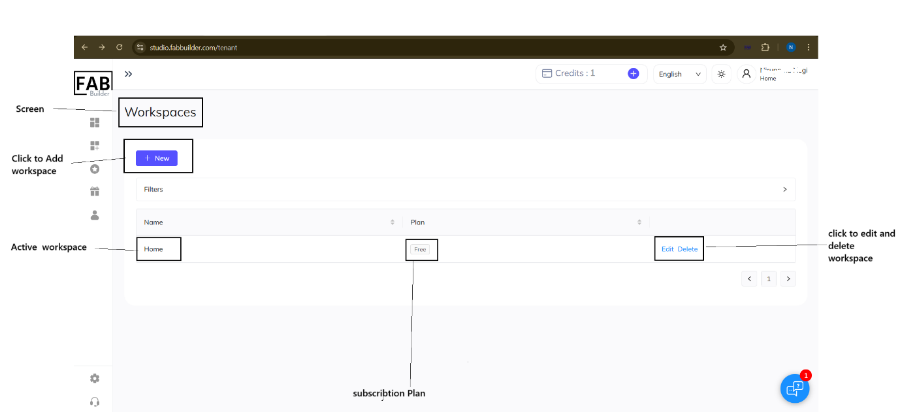
A workspace acts as a virtual environment where users can organize and manage their projects, teams, settings, and related resources. Within the section, the user can -
- Add new workspace to start new projects or organize the work separately.
- Edit the existing workspace to update its name, setting
- Delete the workspace that is no longer needed.
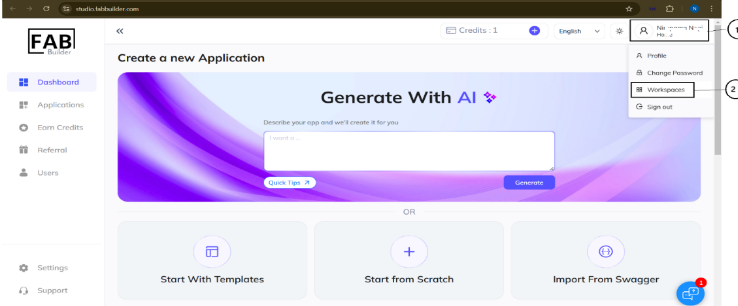
User can access this section by –
- Clicking on the profile button on the top panel. This action will open the drop-down menu includes the workspace section.
- Click on the workspace tab to open a new screen to update the workspace setting.