Once you’ve successfully built your app, you can leverage the Model Editor for advanced configurations.
(Leave four lines for internal linking)
Step 1: Log in to FAB Builder Studio. Navigate to the "Model Editor" section in the application dashboard.
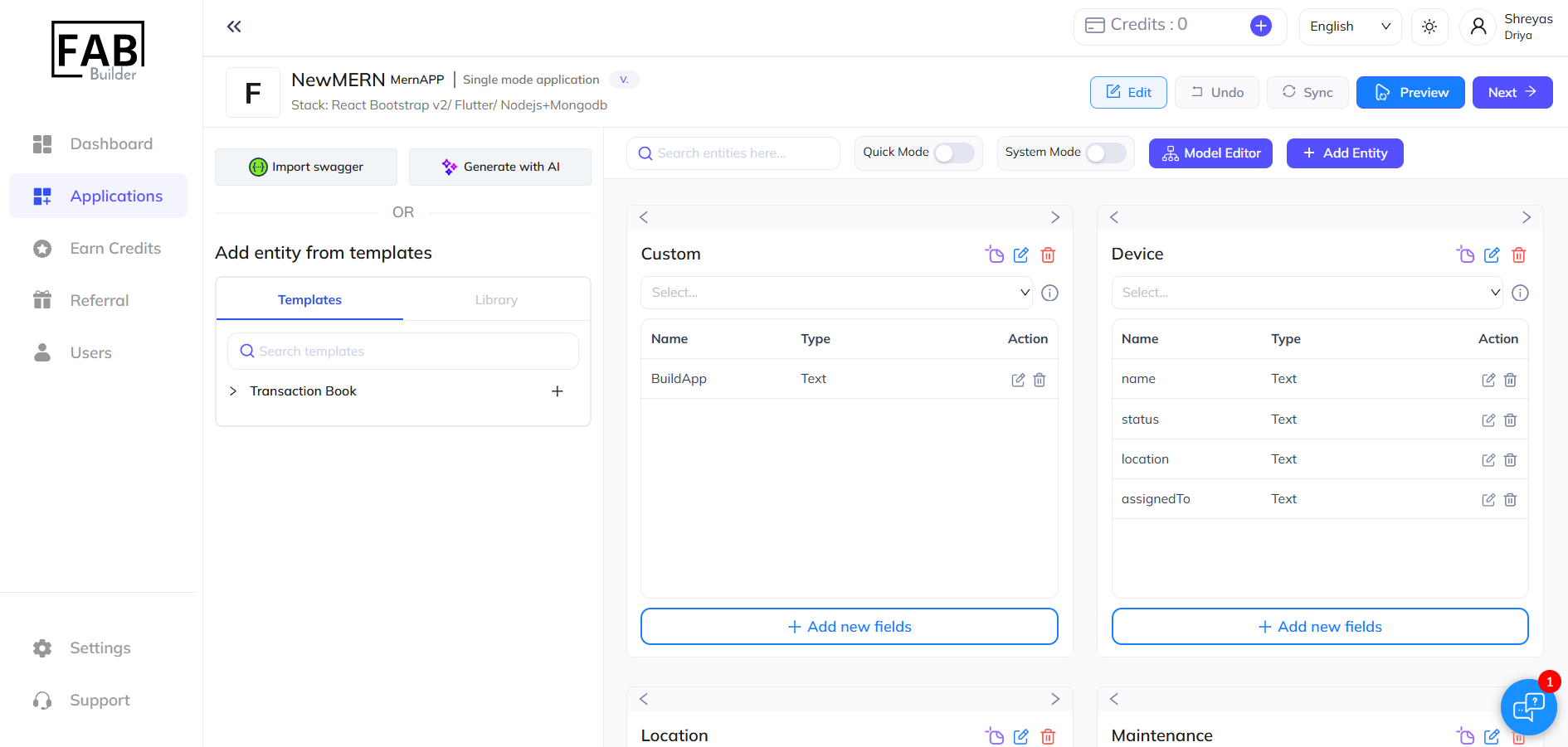
Step 2: Make Changes Using the Model Editor
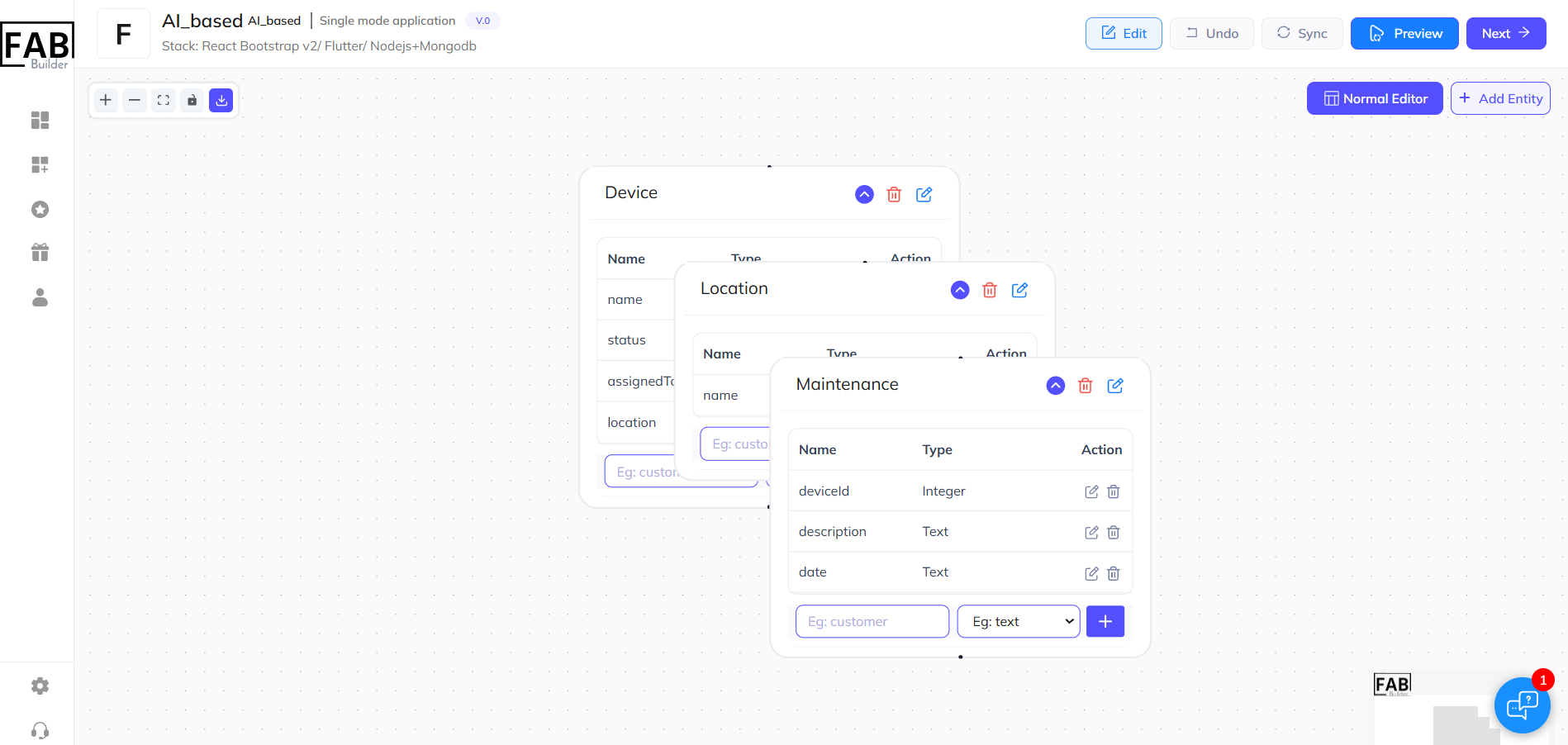
The Model Editor allows users to visually design and manage data models with ease:
- Create or Modify Entities: As per your application requirement, add new entities or edit the already existing ones.
- Configure Relationships: You can set up relationships with one-to-one or one-to-many entities through drag and drop functionality.
- Field Customisation: Adjust fields to set data types, default values, and validation rules.
Step 3: After making customisations, click "Next" to move forward. Alternatively, return to the Normal Editor to continue your process seamlessly.
Conclusion
The Model Editor in FAB Builder plays a crucial role in efficient app development, offering a user-friendly, no-code approach to managing data models. By simplifying the creation, editing, and relationship management of entities and fields, it accelerates the development process while ensuring scalability.
Its visual interface and real-time updates empower users to design and customise apps with ease, enhancing app performance and reducing errors. Start building with FAB Builder today!