This option enables the user to start code generation process as a custom build where everything is created from the beginning based on the specific requirements of project. This method can be apply where application development process requires the complex workflows, unique business logic, or custum stucture not covered by existing templates or AI generation. It gives the user full control and flexibility to customize from ground up to final development stage. To start the application development process, navigate the dashboard section and select the “ Start From Scratch”.
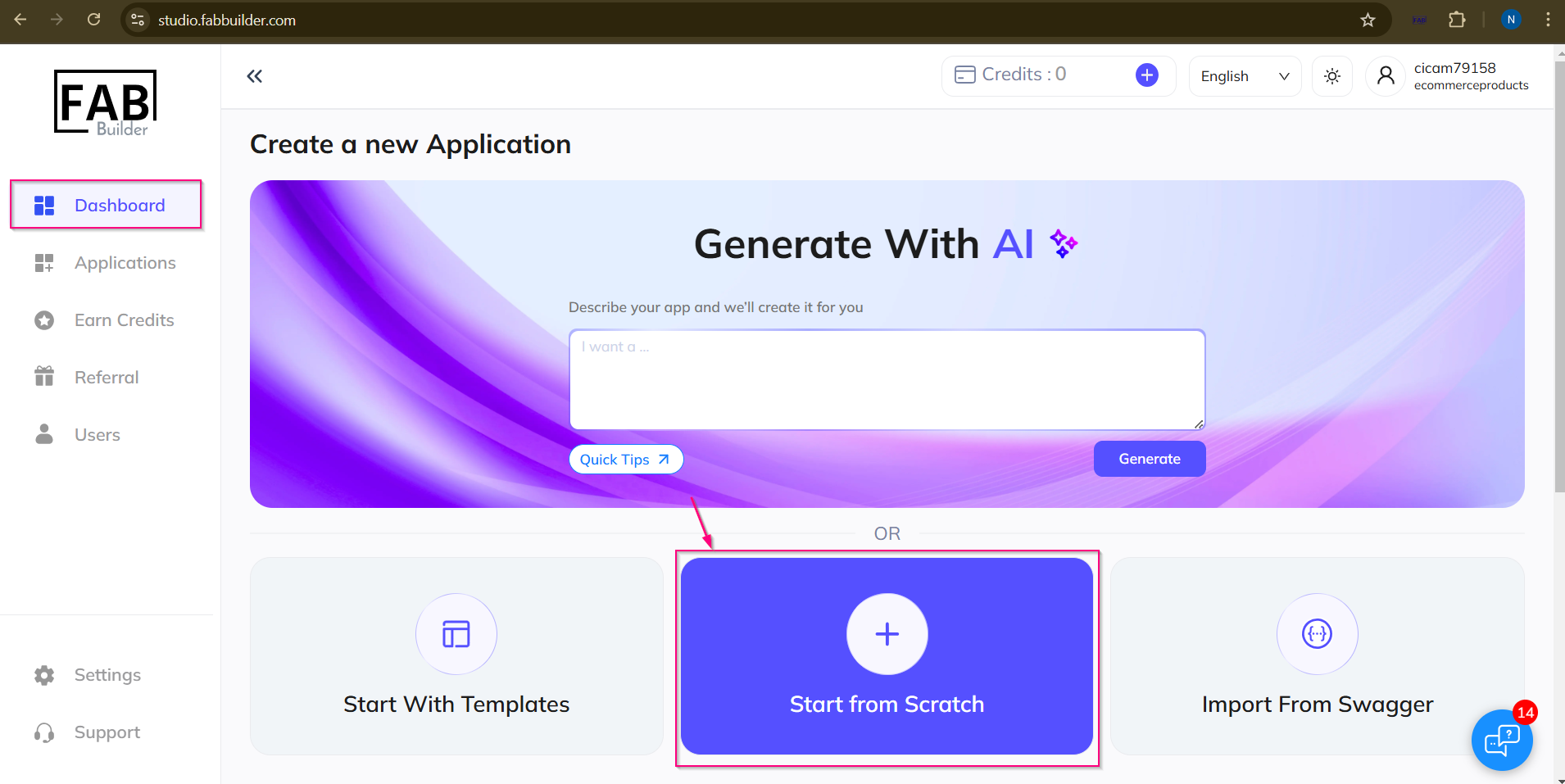
Screen – Scratch Method
1.Next step user need to select the Front end tech stack. select the stack .
2.click on next button.
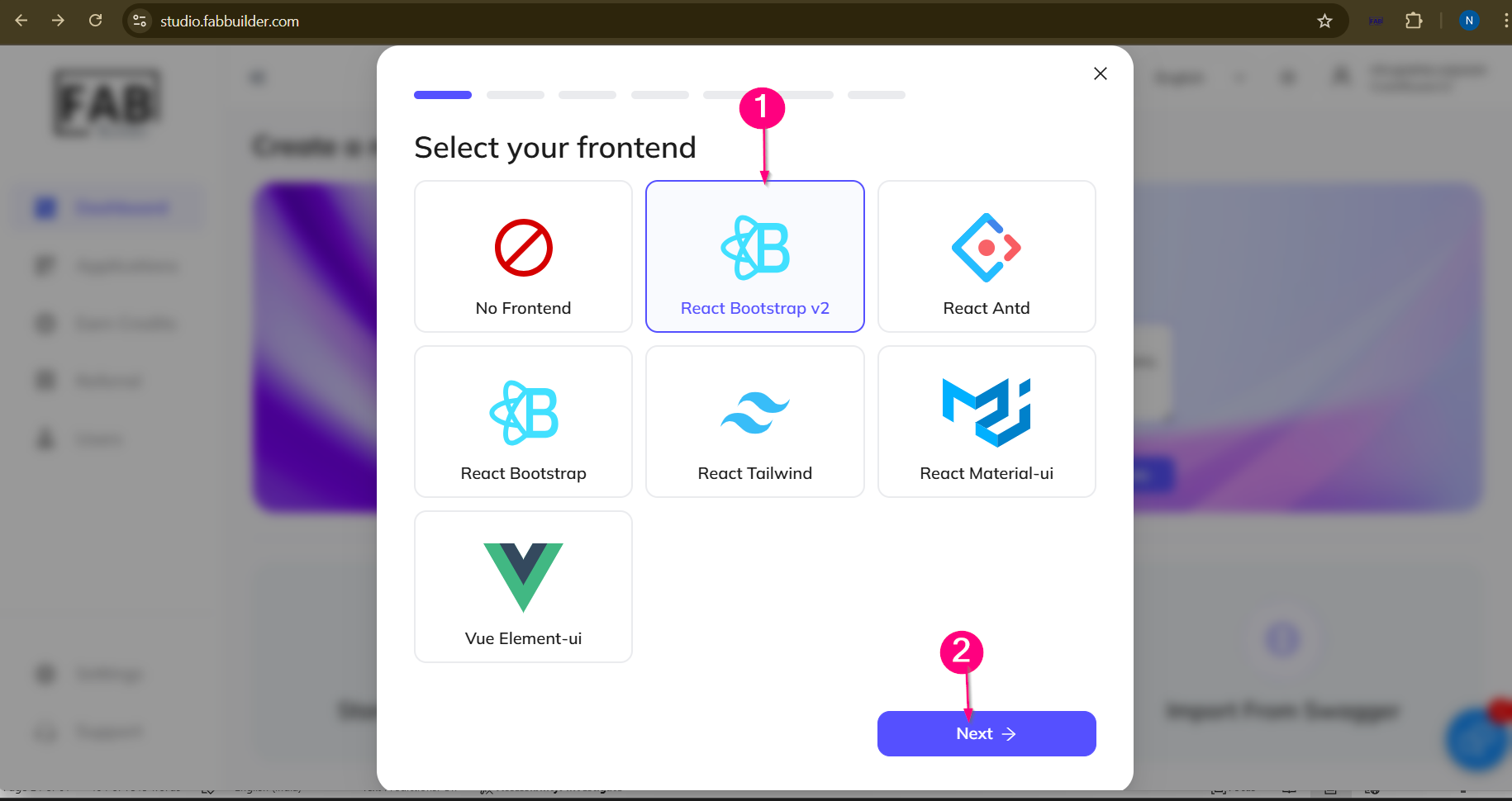
screen - Front End Stack
3.Select the backend tech stack.
4.Click to next button.
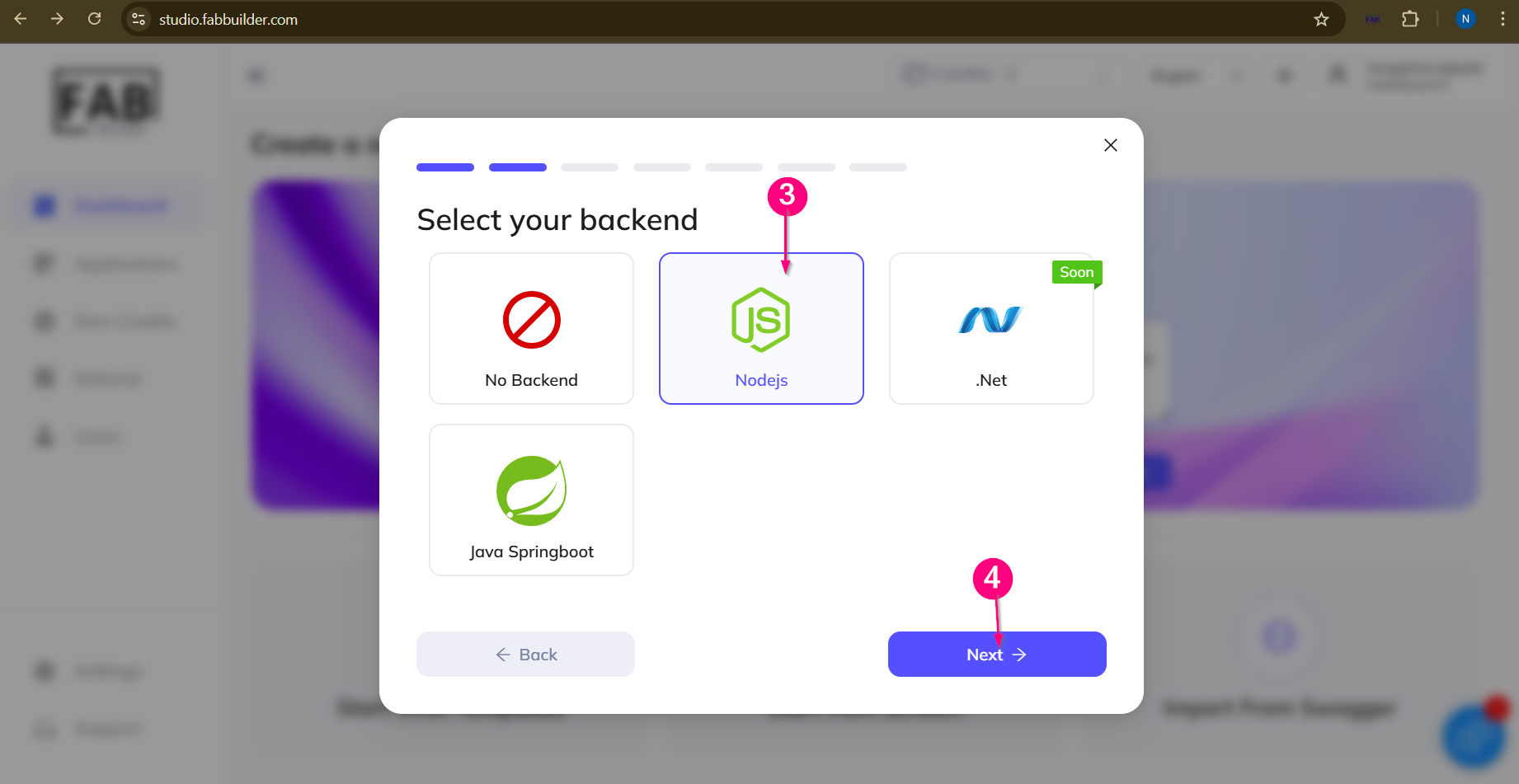
Screen- Backend Tech stack
5.Select the data base.
6 Click to next button.
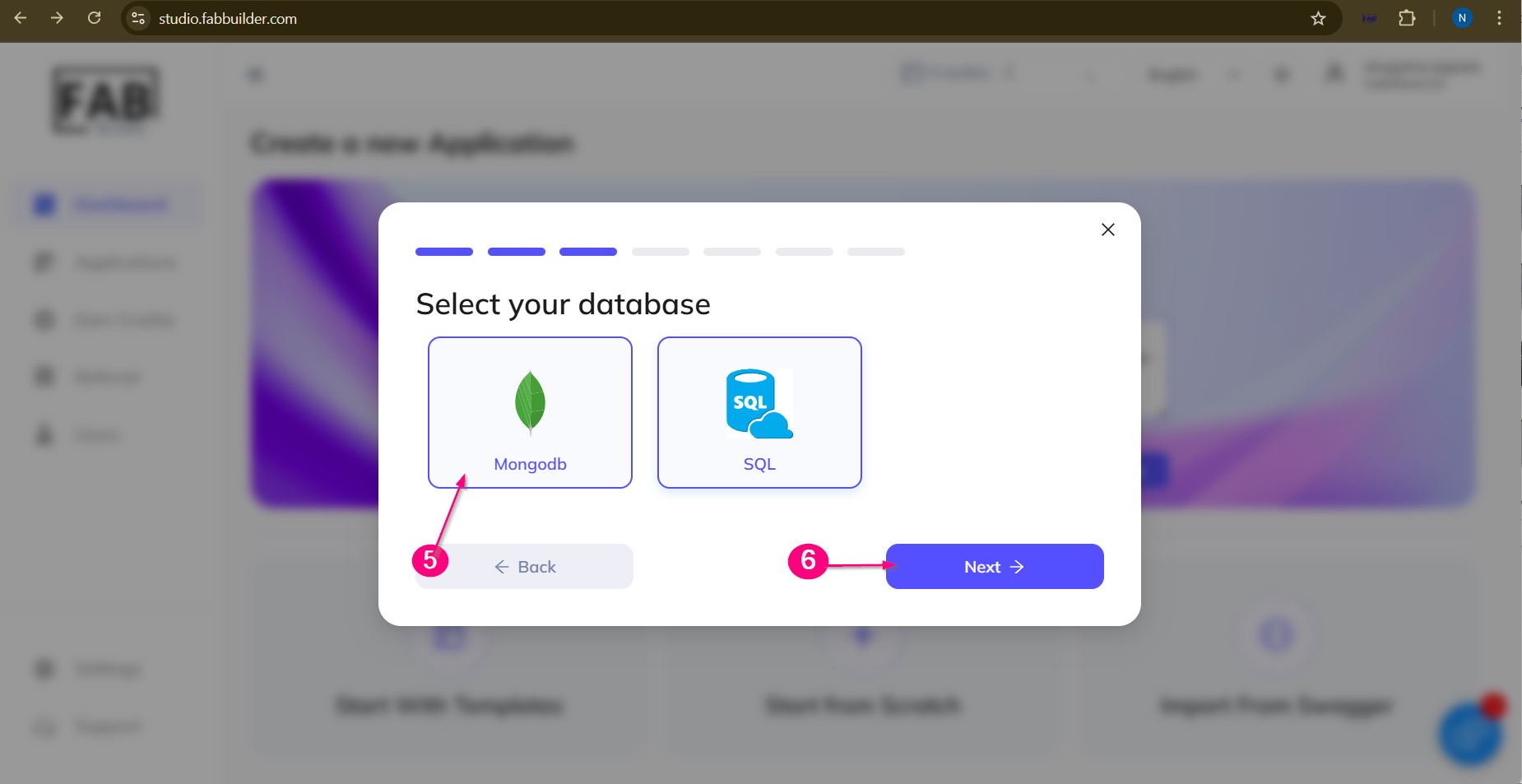
Screen-Database
7.Select mobile app tech stack.
8.Select the next button.
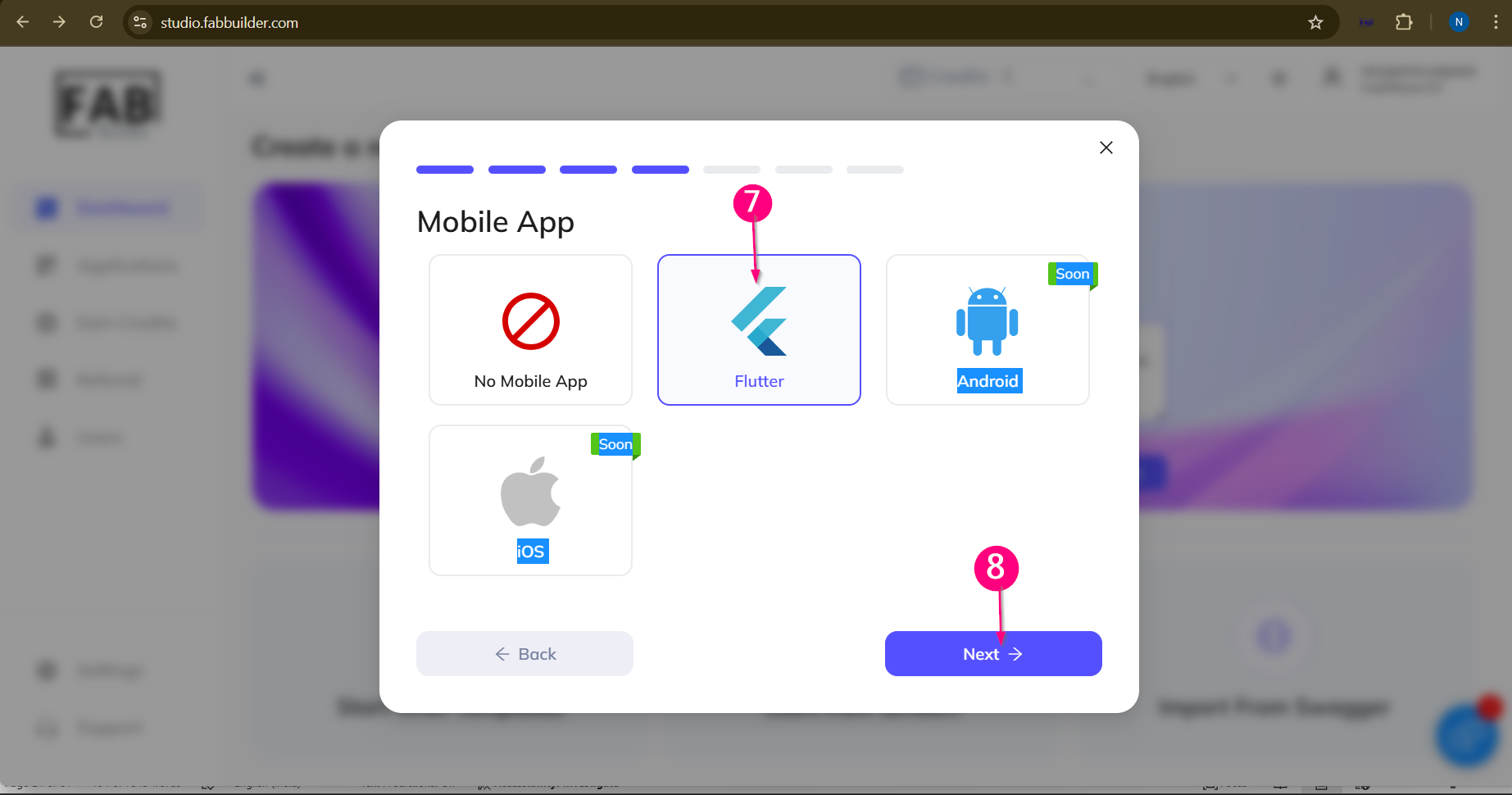
Screen-Mobile App Stack
9.Add name of an application.
10.Click on next button.
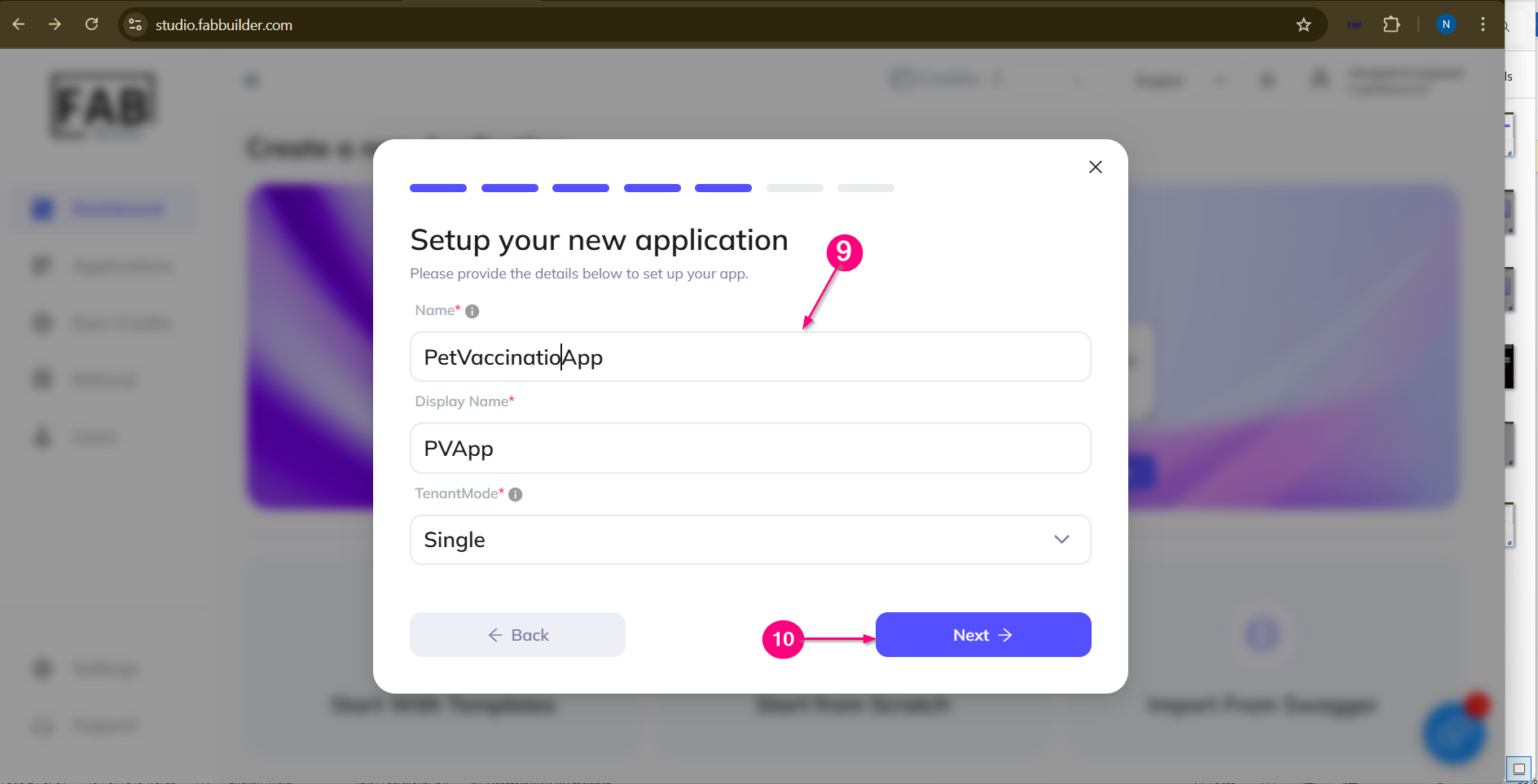
Screen- Add Application Name
11.user can review the application .Click to continue to proceed for next step.
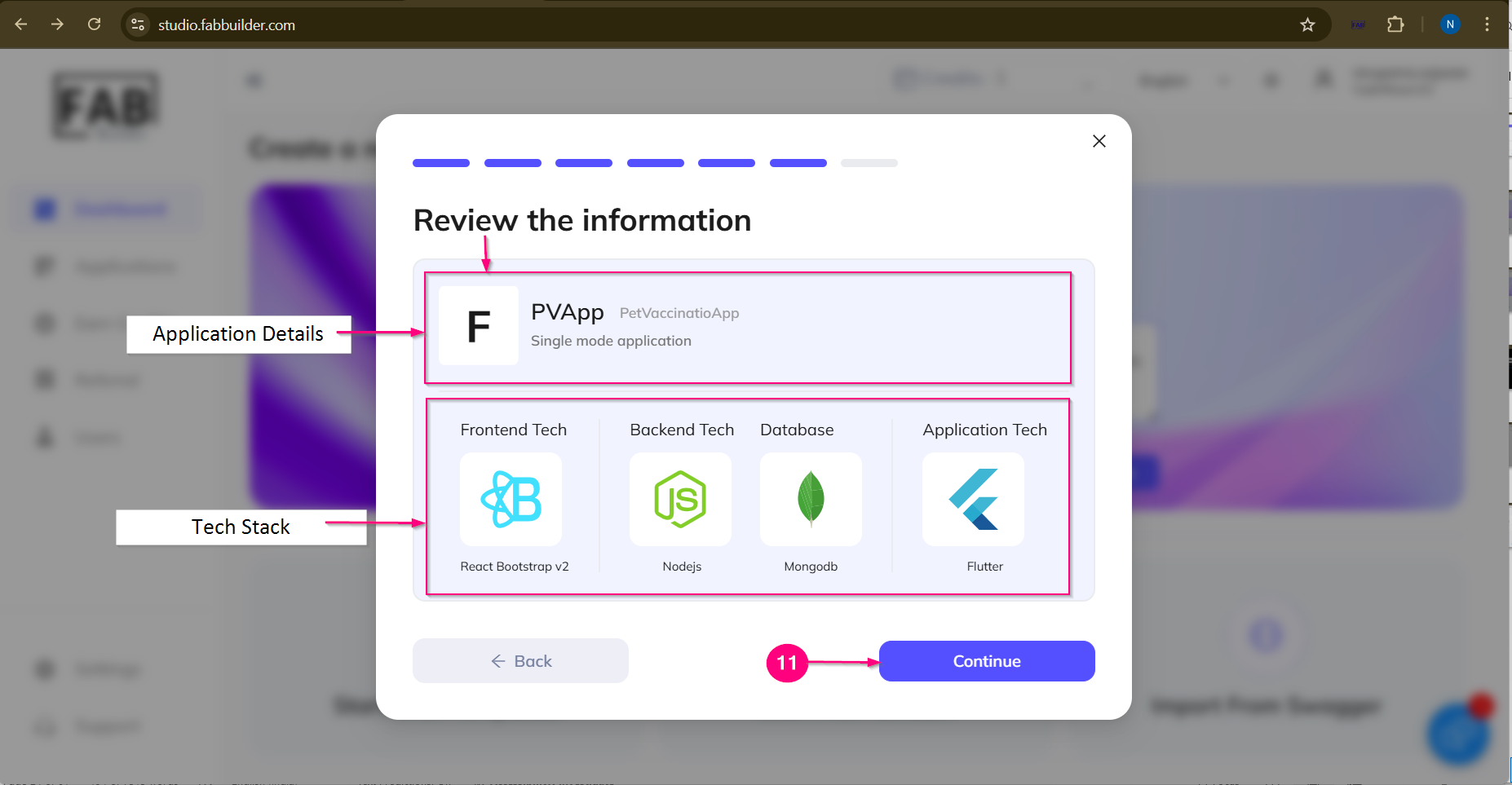
Screen - Review Apllication Details
After completeing all step and clicking on continue button .application is created sucessfully.next screen will display the it by congratulation method
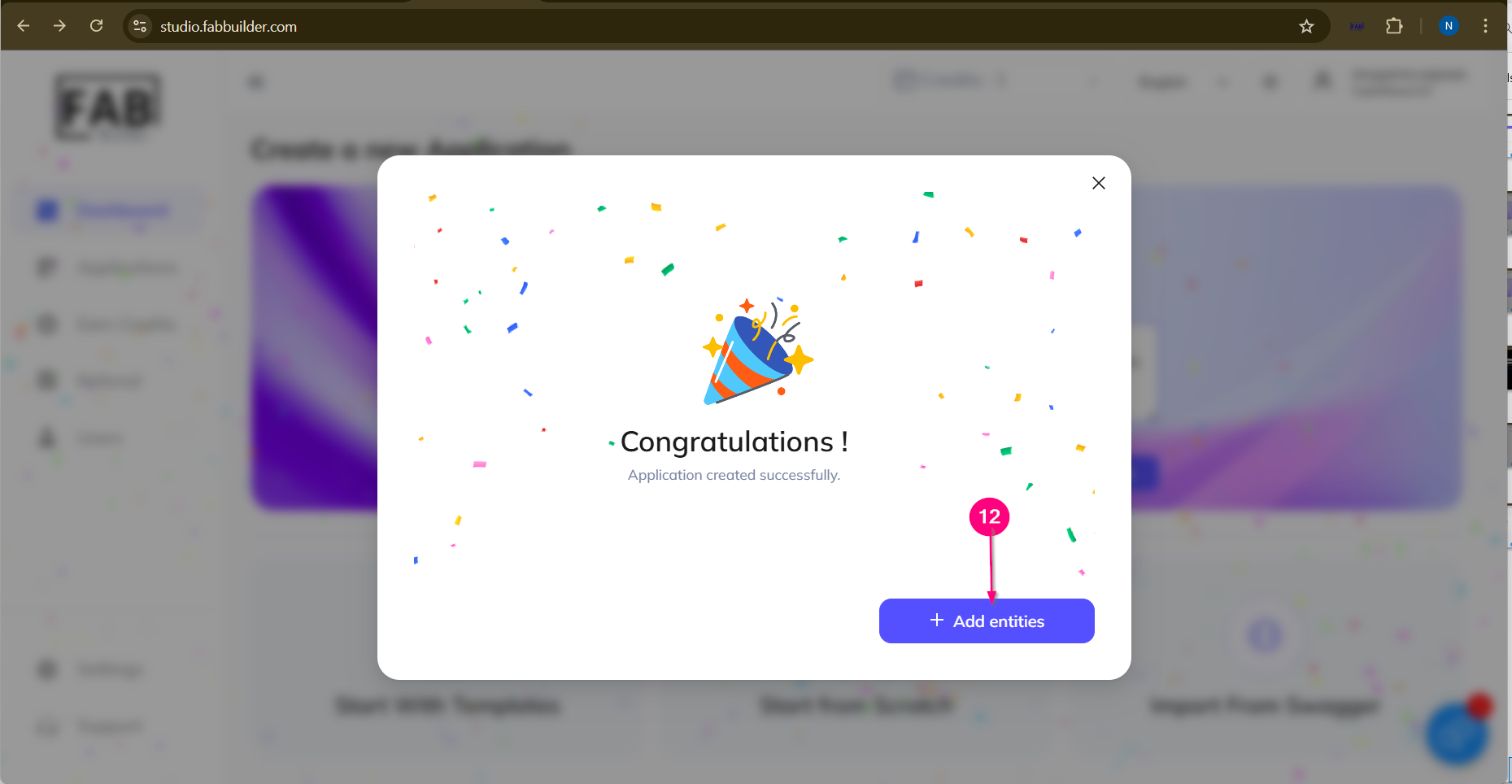
Screen – Successful Creation Message Of An Application
12.Now click on the add entity button,user is taken to on cofigurator screen to customize the application .
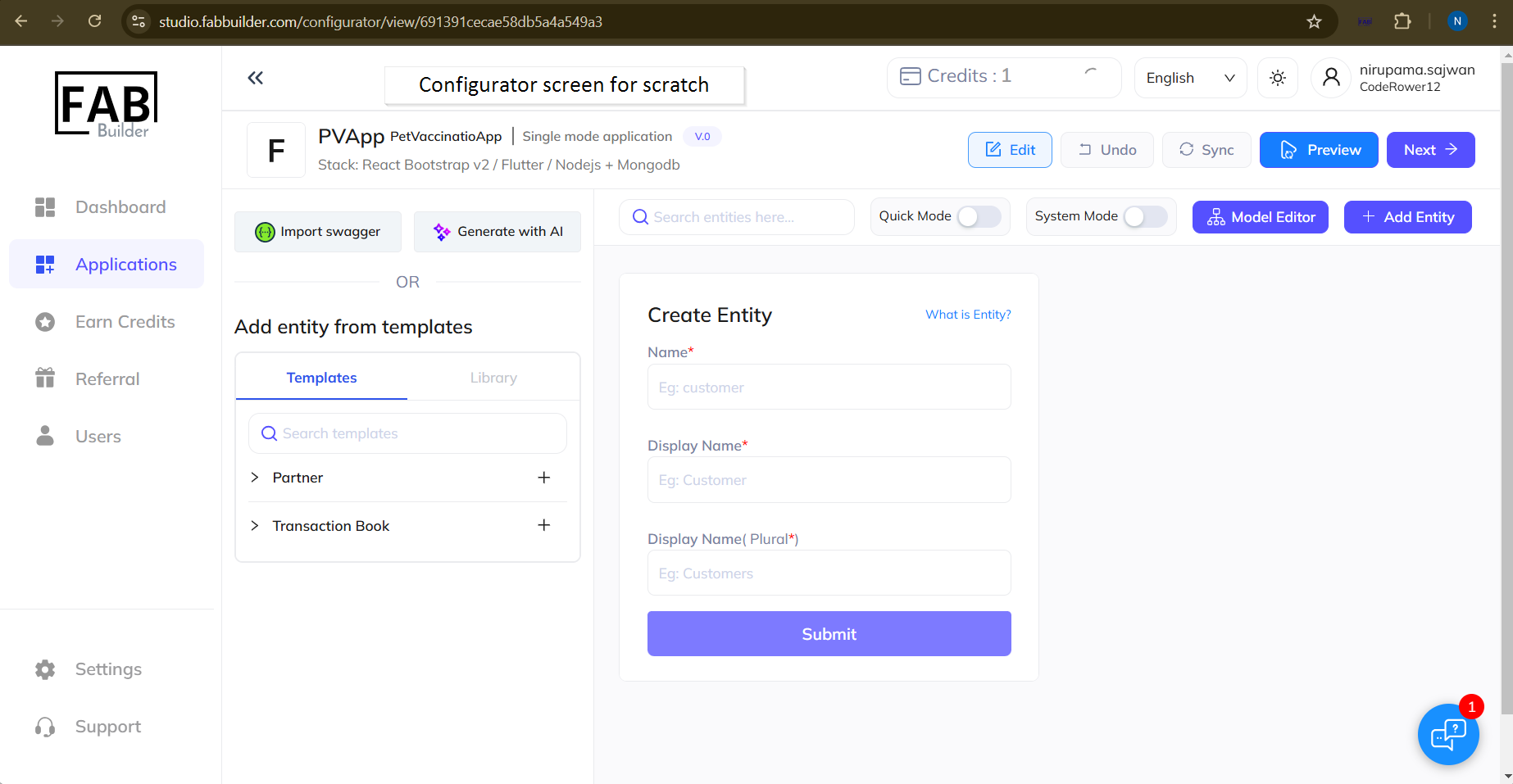
Screen -Add Customize Entity/scratch /Configurator screen