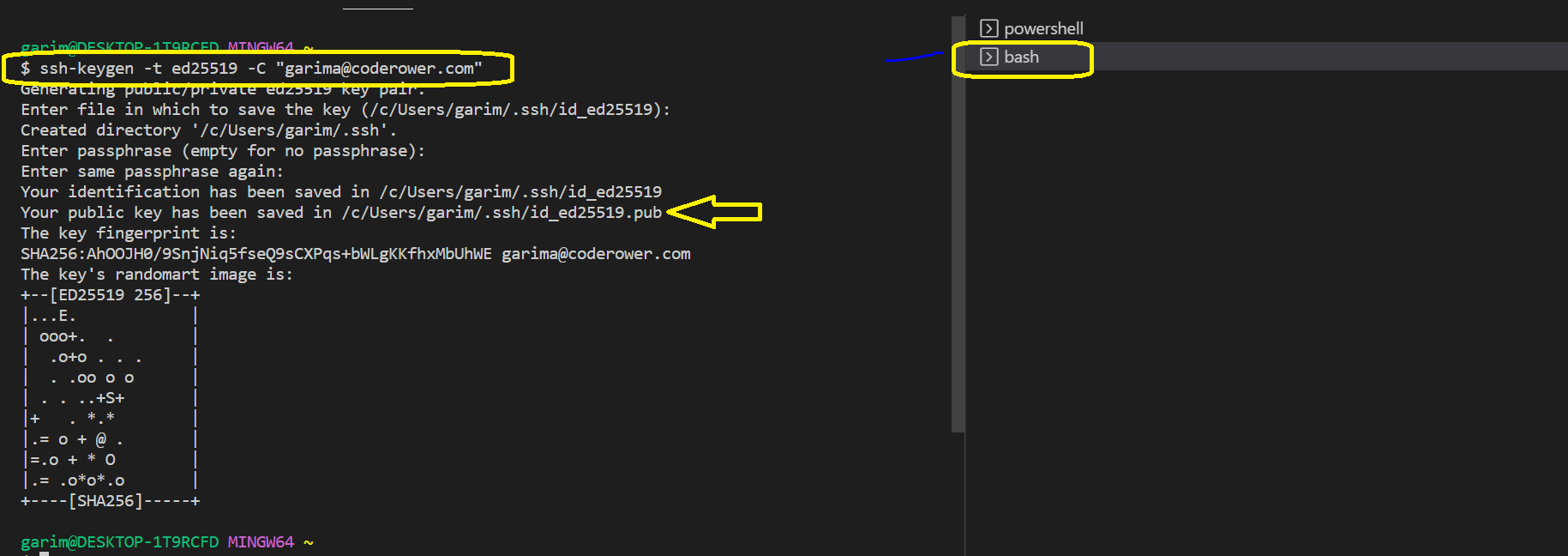
1. Create an account on GitHub with company provided email 2. Open git bash or terminal The best option to use git bash is to use the terminal provided in VS code Execute the following command with your email (form which you have signed up) ssh-keygen -t ed25519 -C "your_email@coderower.com" Use the predefined settings, and continue until it gets completed
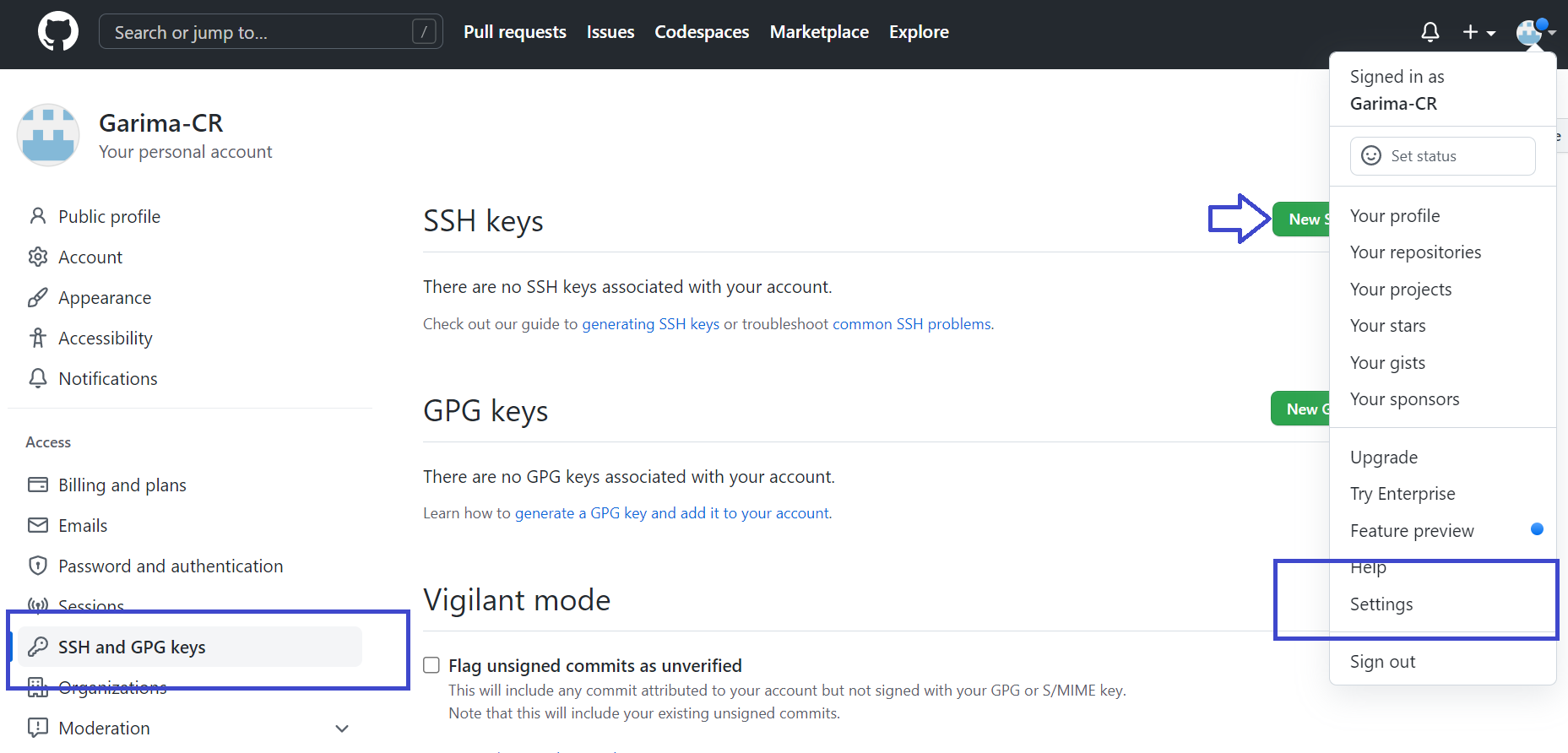
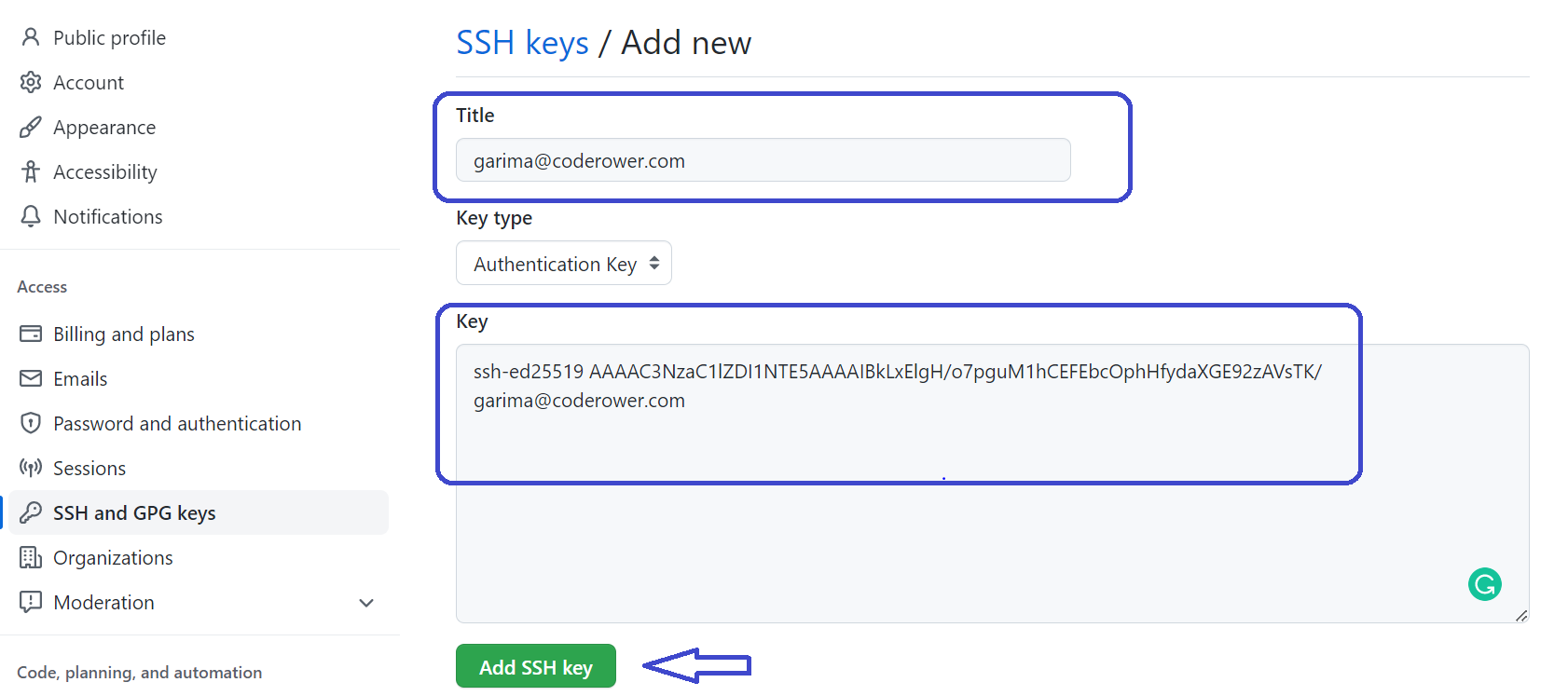
3. Now copy the public key generated cat /c/Users/garim/.ssh/id_ed25519.pub 4. Go to GitHub > Settings > SSH and GPG Keys Add a New SSH key
Put "CodeRower Account" in the title Paste the public key copied above in the key section
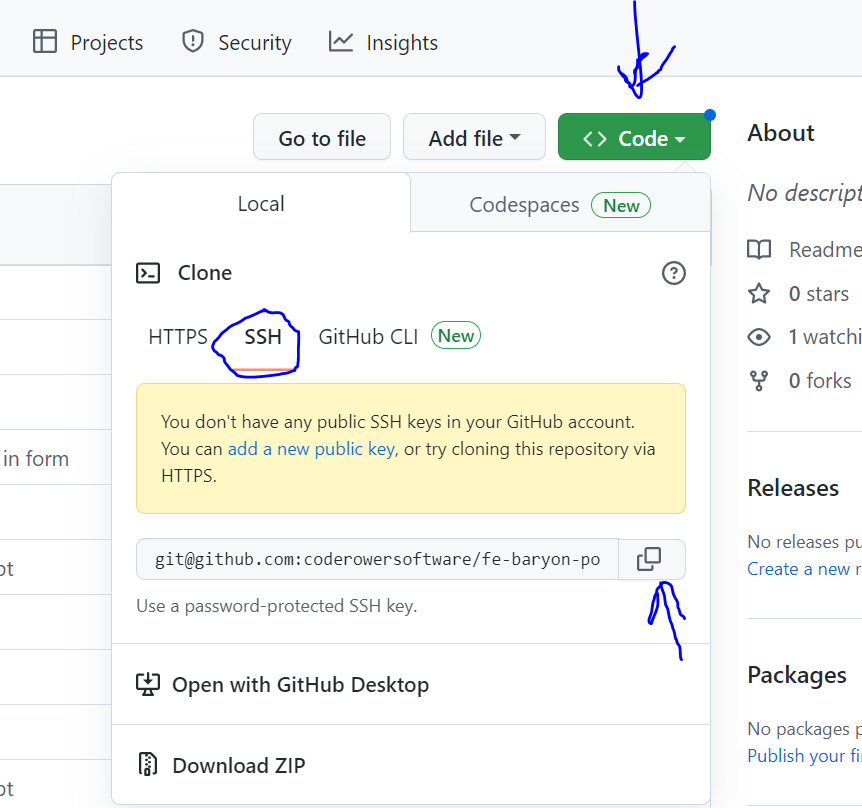
-- And it's done. Go to the project repository and clone the repo using ssh link, you can find it here
|