This method allows the user to generate the code by uploading the API file. It leverages the swagger specification to automate the backend code generation.
The Swagger method allows the user to import existing API specifications (written in Swagger/OpenAPI format) to automatically generate entities and code for the application. To create an application the user must follow the steps mentioned below. From the dashboard screen, select the method “Import from Swagger” to begin the process. 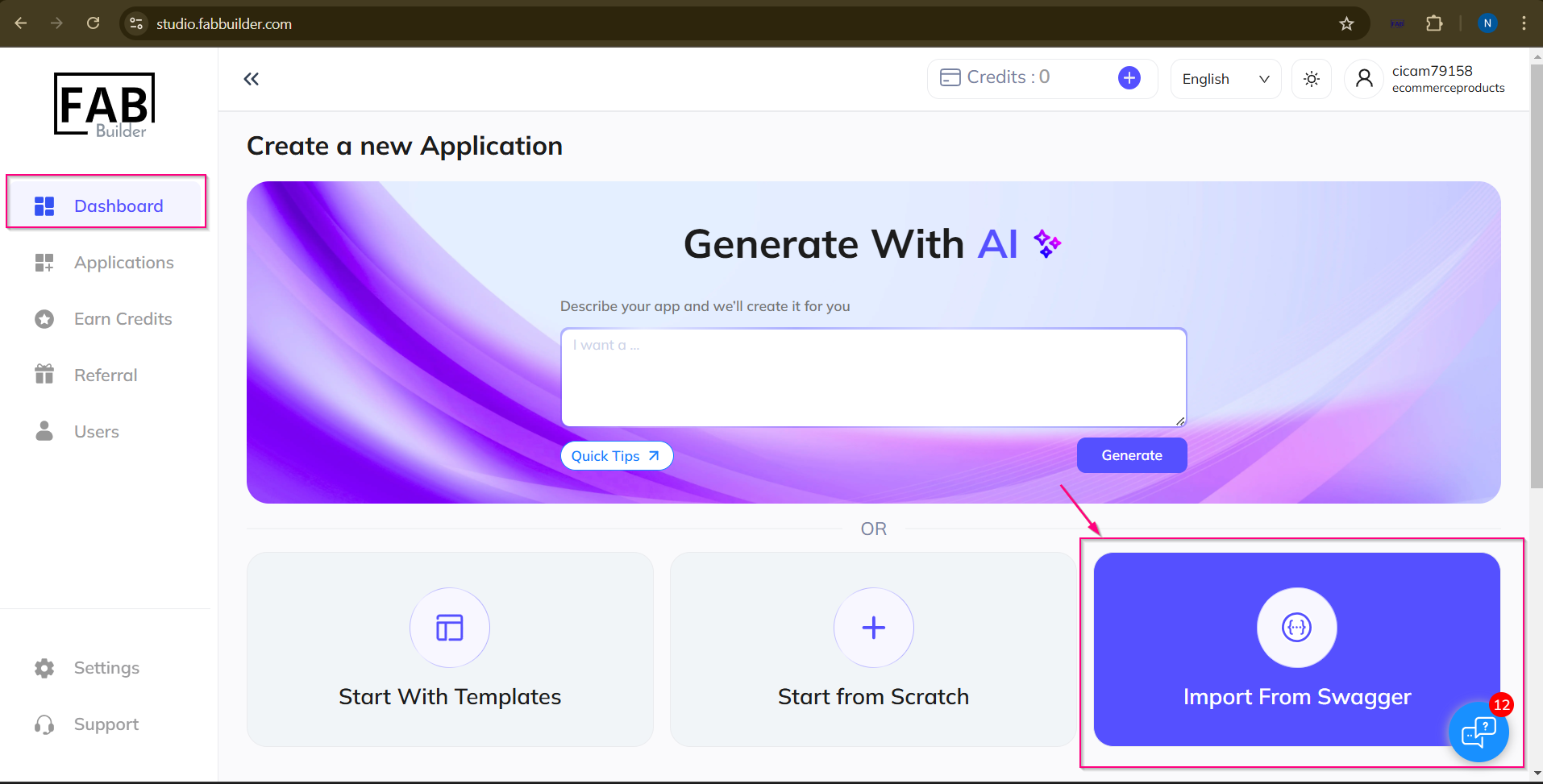
Screen – Import from swagger Method
1.After selecting the application creation method, import the swagger URL or file.
2.Click Do the Magic button for next step.
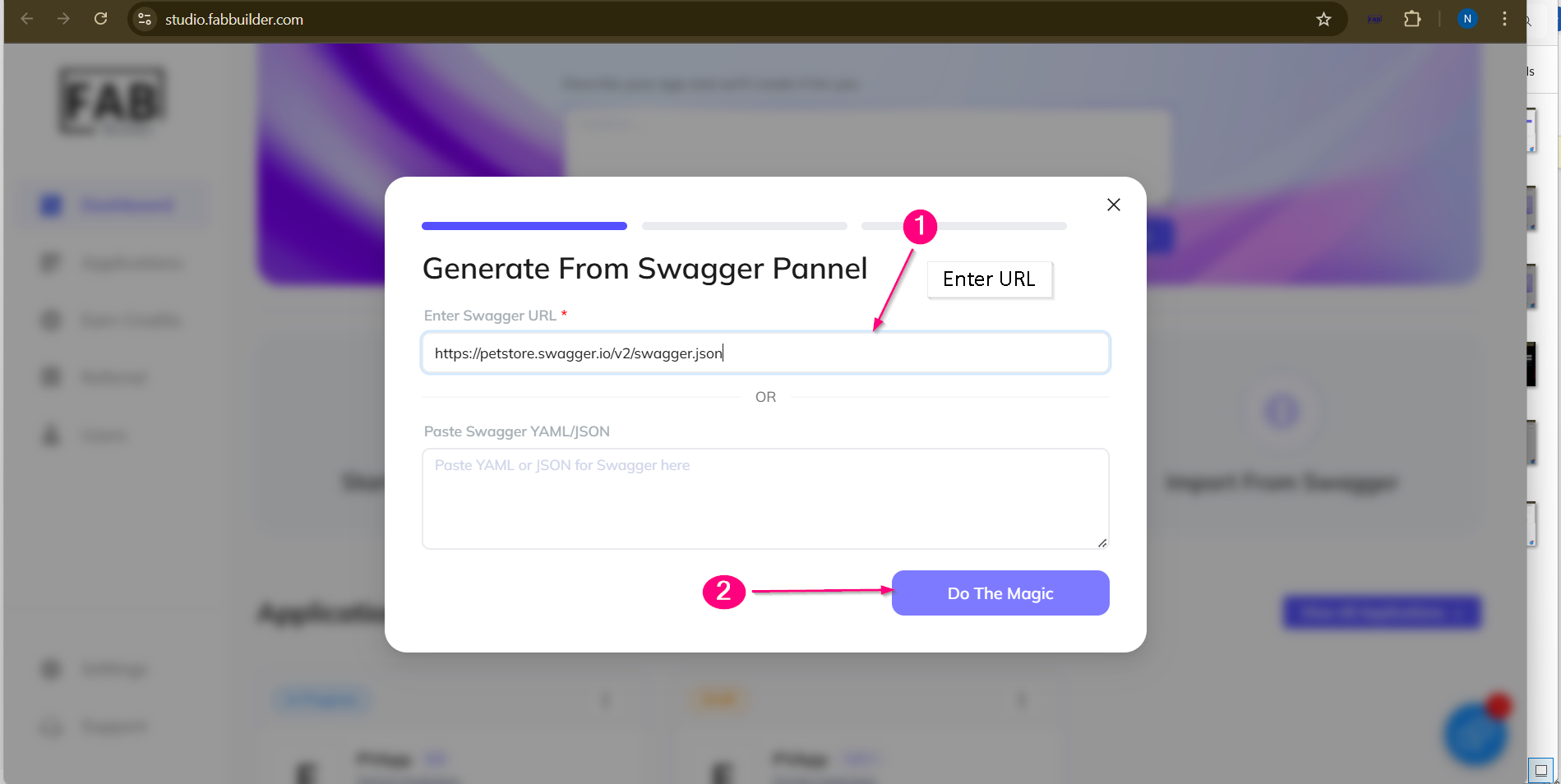
Screen- Swagger URL
Next pop-up screen will show the selected entities.
3.Users can deselect/ select the listed entities.
4.Click on Next button to proceed for the next step.
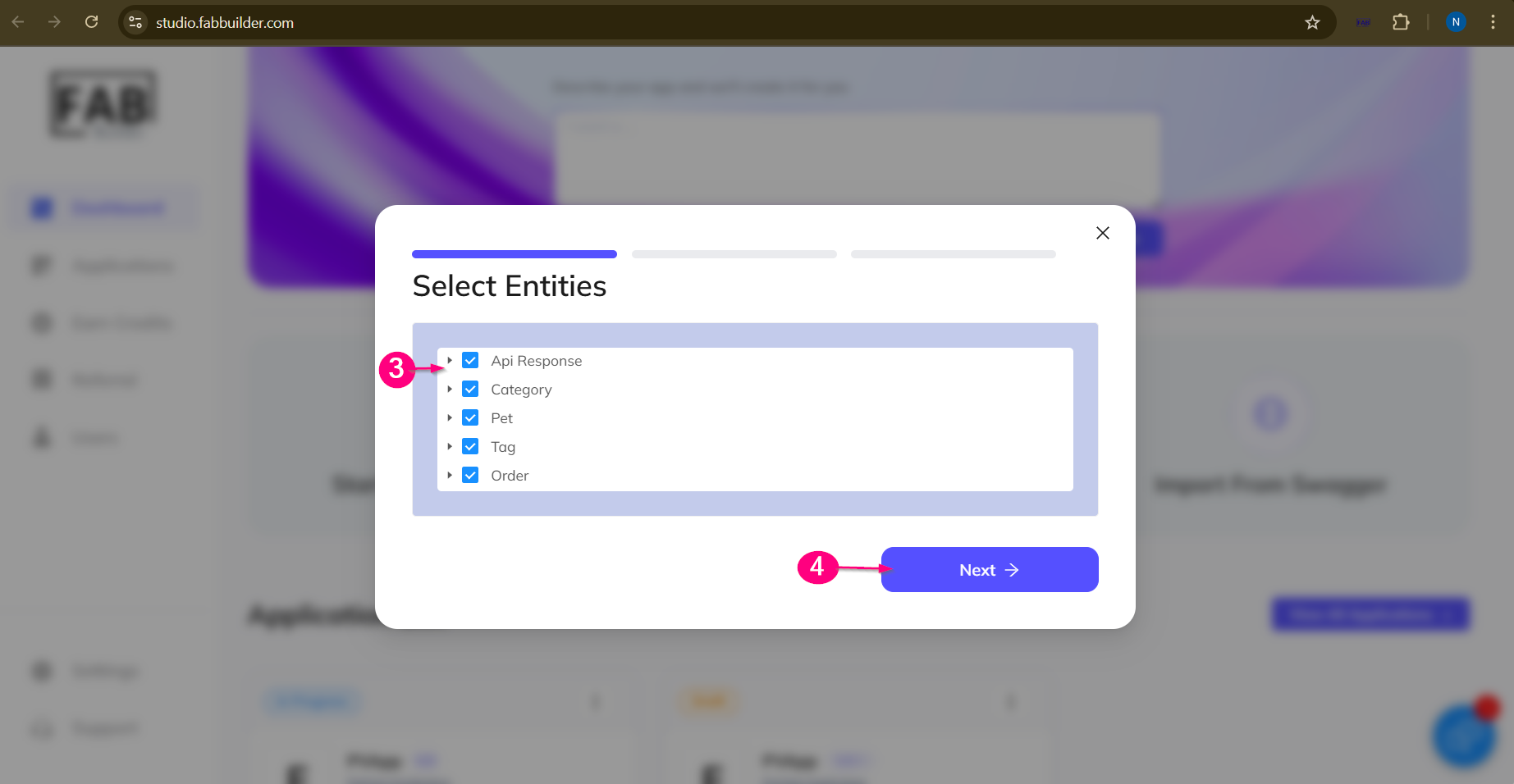
Screen – Listed Entity
Next pop-up window displays the name setup details.
5. Enter the name of a new application.
6.Click on Next button.
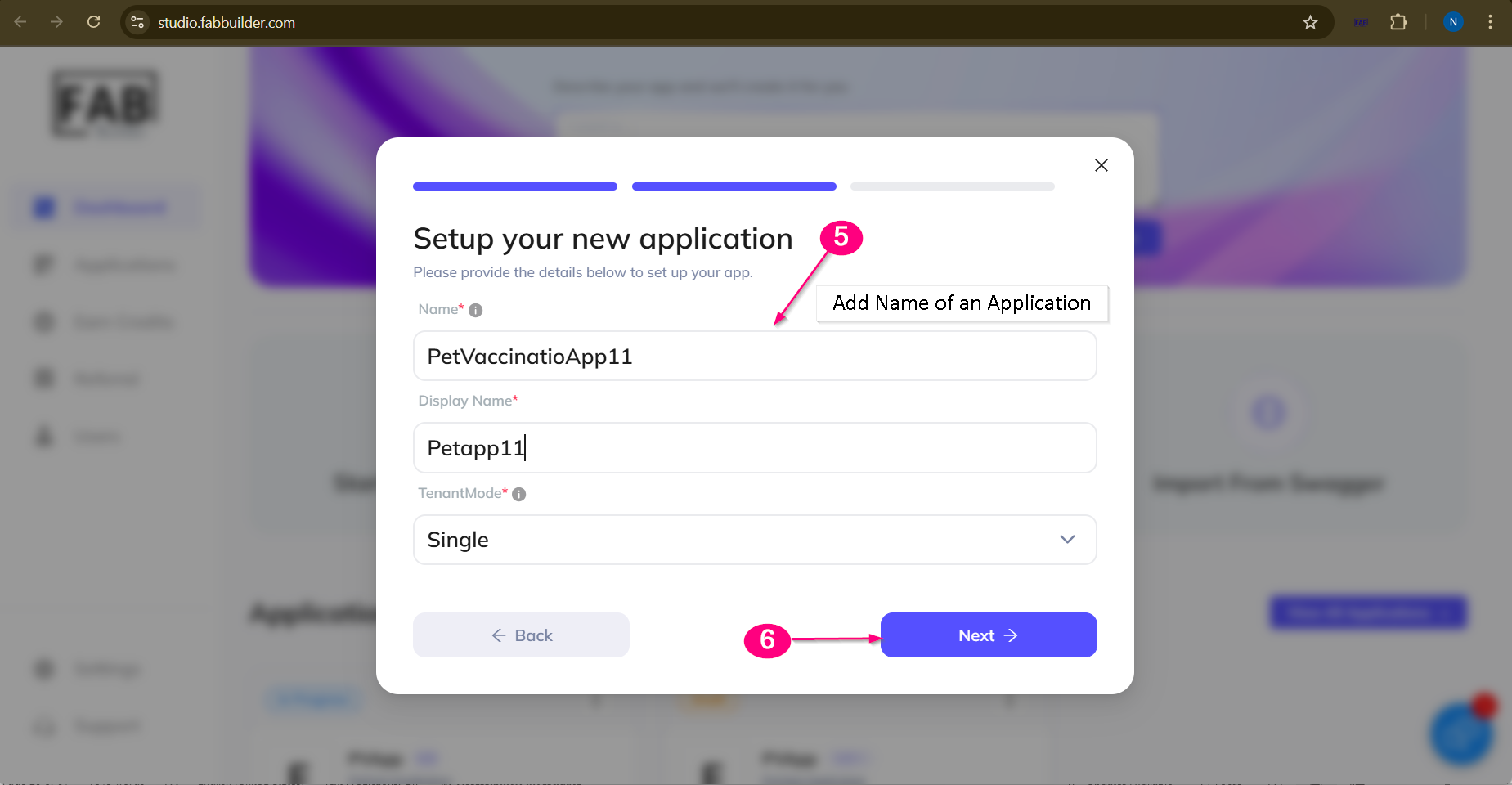
Screen- Add New Application
Next step of screen will opens a review pop-up window which contains all details of an application.
7.Click on Continue to create the application.
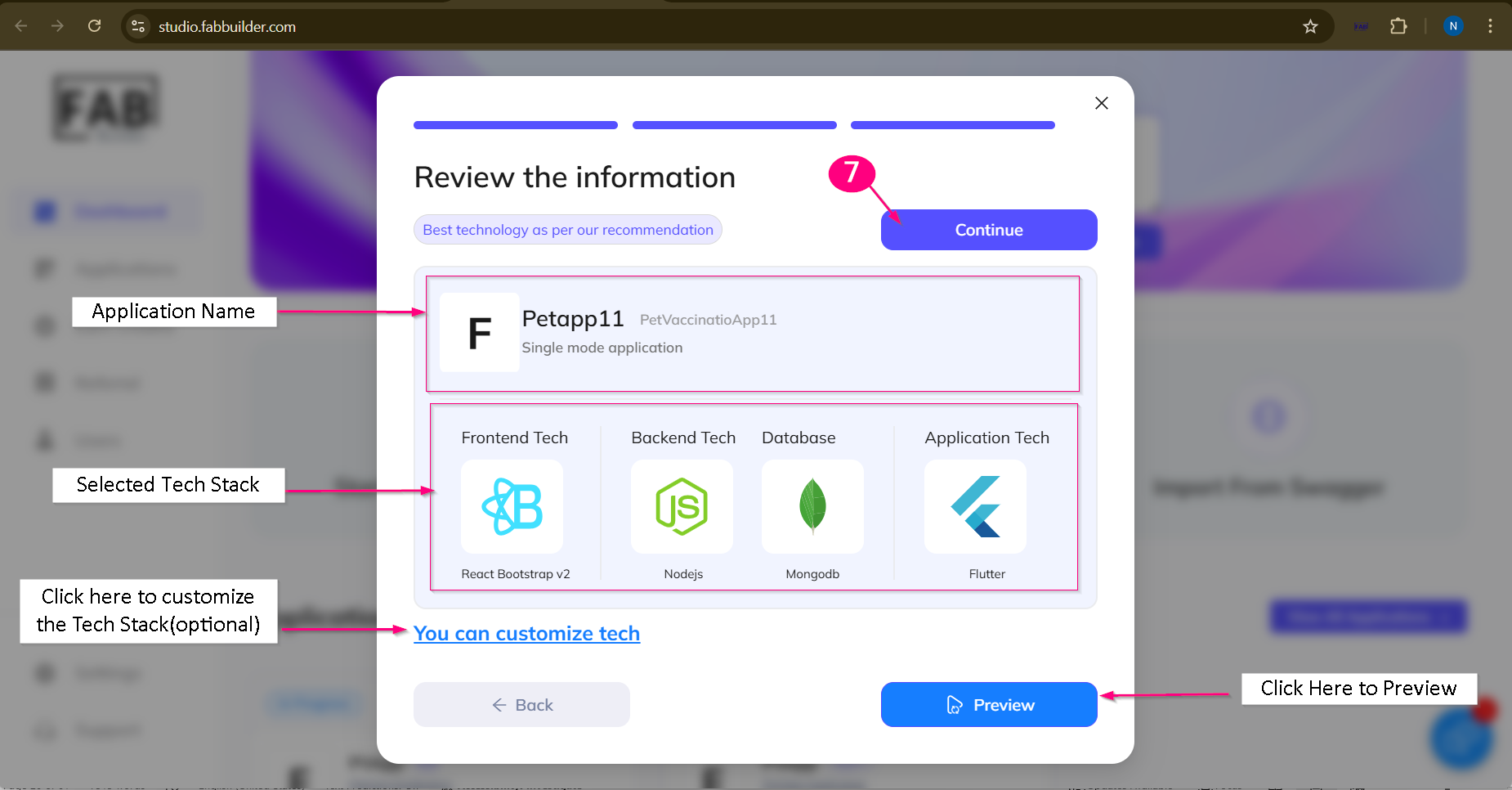
Screen – Review of New Application and Tech Stack
8.Next window will show the congratulation message with an option to add entity after successful development of an application.
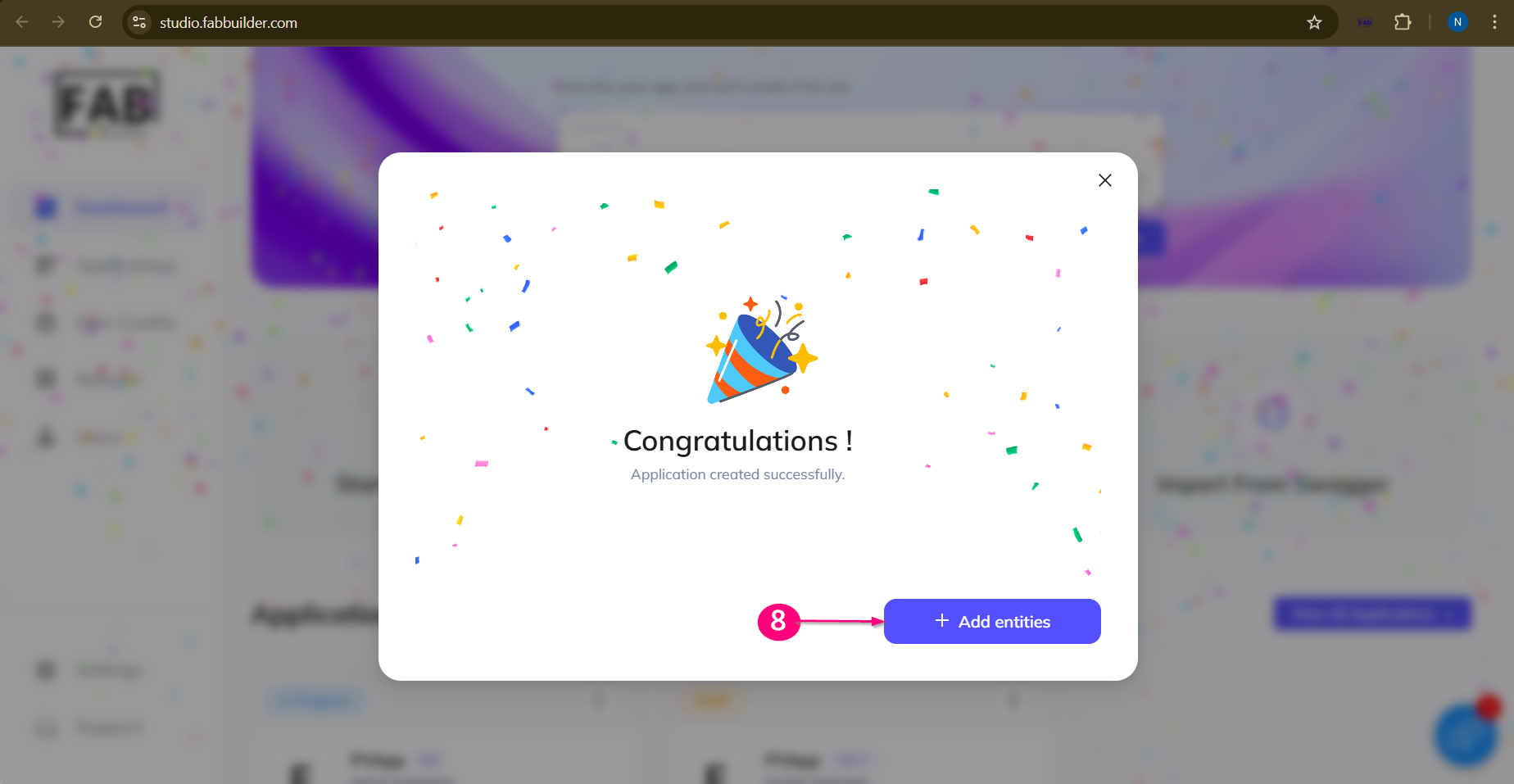
Screen – Congratulation Message on Application Creation
Users need to add entity further to the application. On clicking the add entity, the user is taken to the configurator screen to view the complete details of a newly created application.
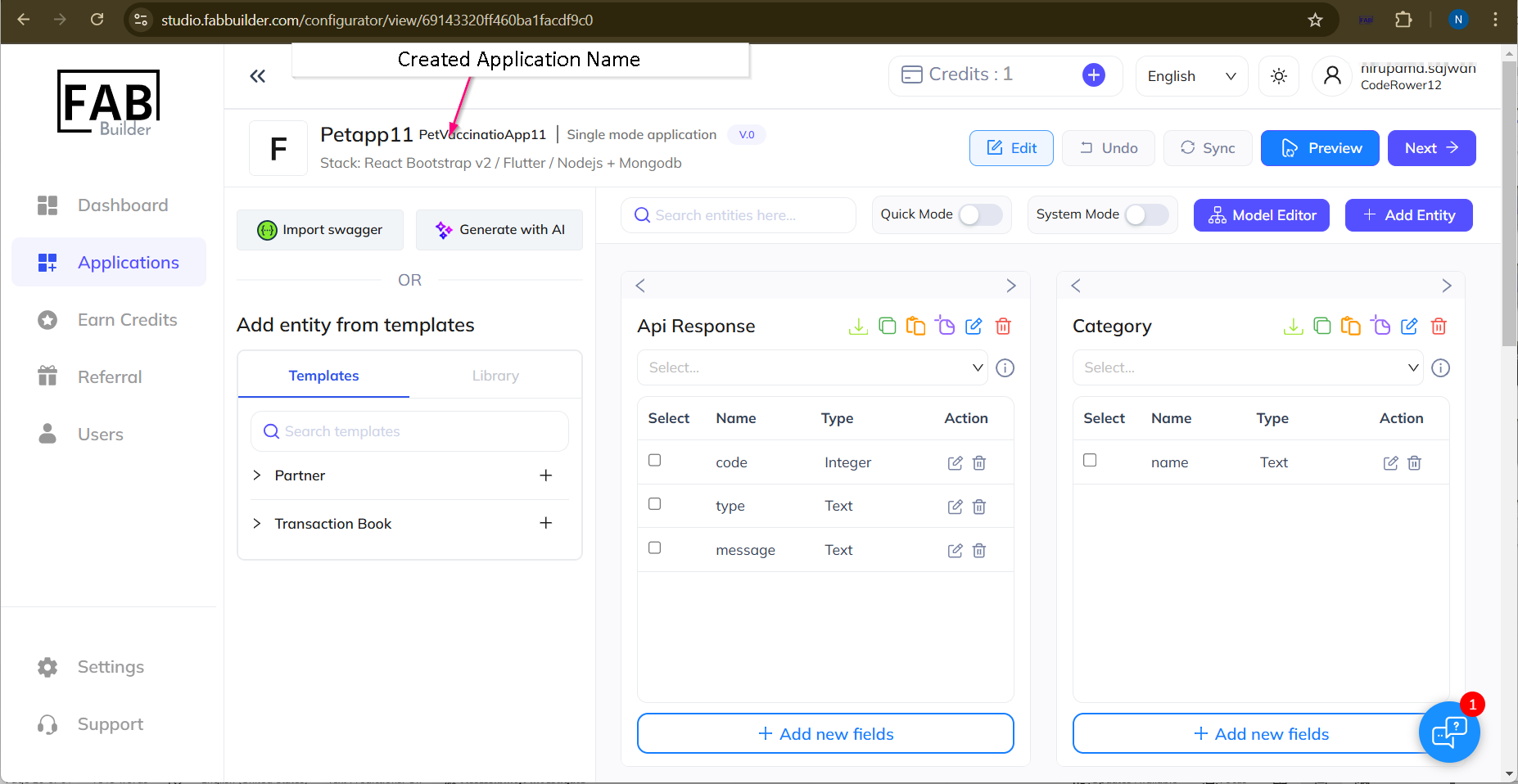
Screen – Newly created Application with details/ configurator