In FAB Builder, setting up your app’s tenancy mode is simple and flexible. Here’s a quick overview of how it works:
1. Before we get into tenancy mode configuration, ensure you have a clear understanding of app building in different technologies:
- MongoDB: Explore the guide here.
- Java: Explore the guide here.
- .NET: Explore the guide here.
- Node.js: Explore the guide here.
With this foundational knowledge, you're now ready to configure and optimise tenancy modes for your application using FAB Builder.
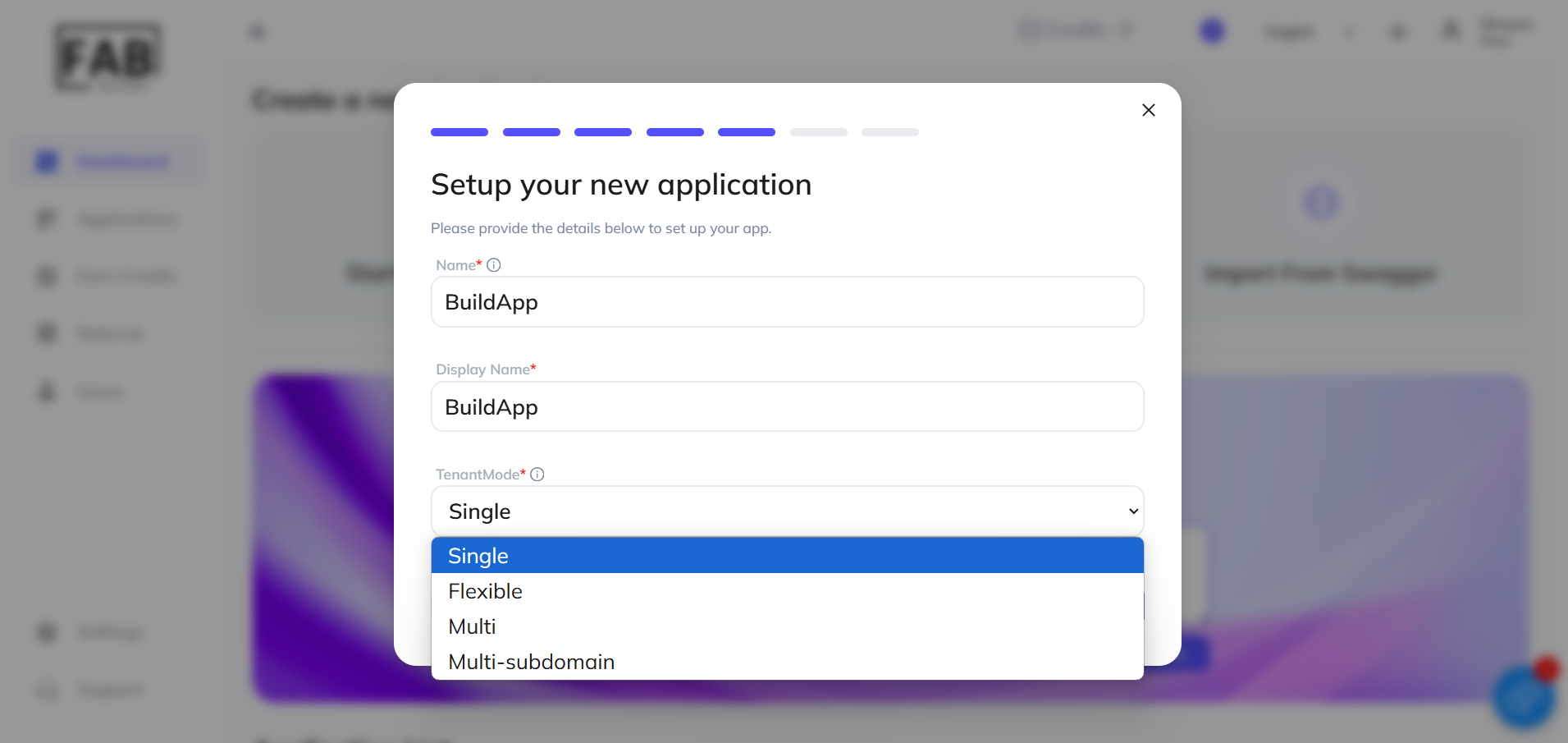
2. Set Tenancy Mode: During the setup, choose from four tenancy modes: Single, Multi, Flexible, or Multi Subdomain. Each option caters to different business needs.
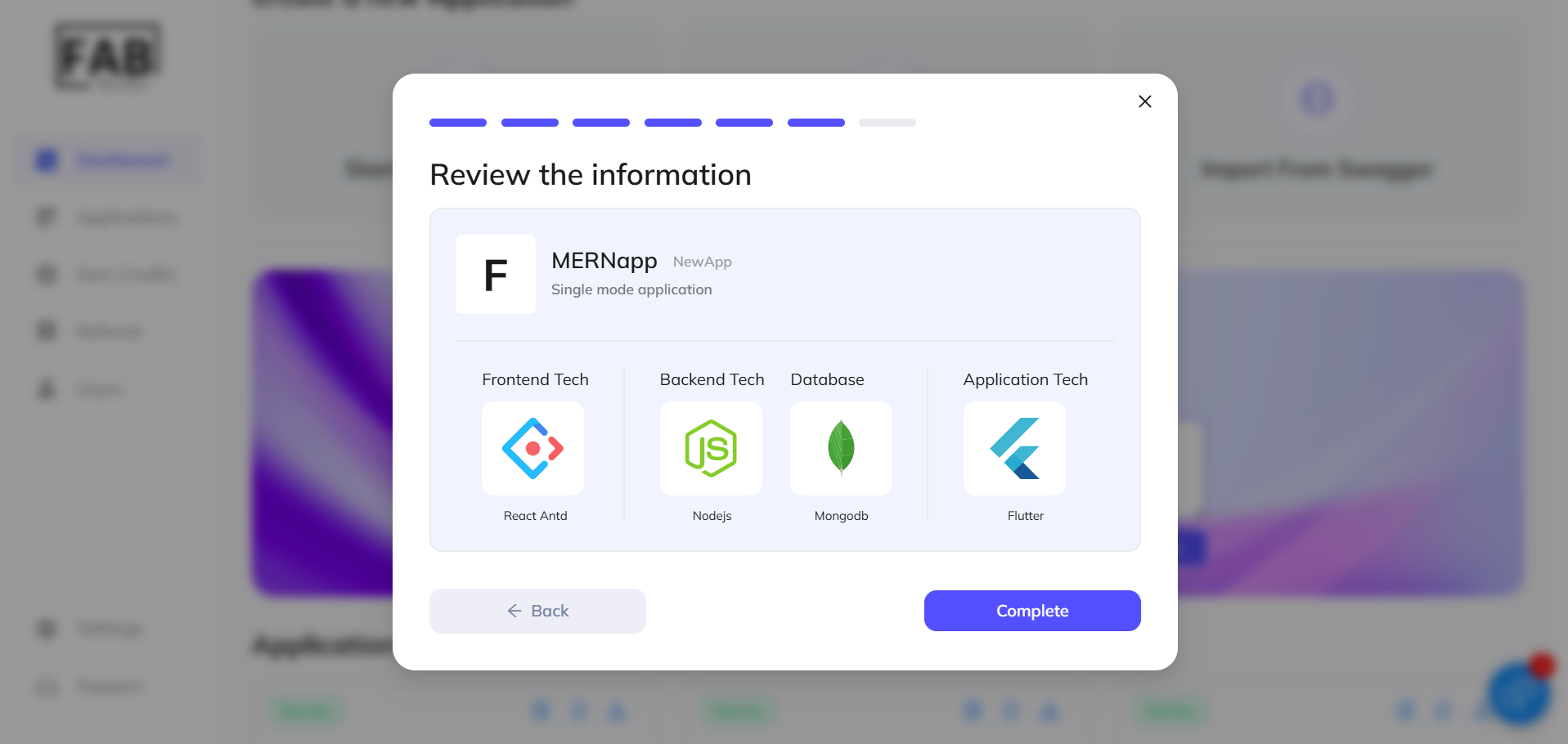
3. Review and Finalise: After reviewing the details, click "Complete" to finish the setup.
Switching Between Tenancy Modes: One of the great things about FAB Builder is that if your requirements change, you can switch between tenancy modes. FAB Builder gives you the freedom to change your setup from a single tenant to a multi-tenant setup as your business grows.
Conclusion
Selecting the right tenancy mode is critical to scaling your app’s security, cost efficiency, and scalability.
FAB Builder supports four tenancy modes — Single Tenant, Multi Tenant, Flexible Tenant, and Multi Subdomain to cater to different businesses. Pick a tenancy mode carefully to help your app scale, provide security, and have a strong brand once your business begins to grow.