Buying a CRM isn't just another software purchase—it's a decision that can shape how your travel business manages inquiries, serves customers, and grows over the next several years.
The challenge is that almost every CRM provider claims to be the "best." Their websites promise automation, AI, analytics, and hundreds of features, making it difficult to understand what actually matters for a travel business.
A travel agency doesn't need the CRM with the longest feature list—it needs one that fits the way travel businesses work. From handling inquiries and quotations to coordinating bookings and customer communication, the right CRM should simplify your team's daily work rather than add another layer of complexity.
Whether you're running a boutique travel agency, a tour operator, a destination management company (DMC), or a corporate travel business, this guide will help you evaluate CRM software with confidence. This blog is a part of our broader "A Complete Guide On CRM For Travel Agencies" strategy. You'll learn in this blog what features truly matter, which mistakes to avoid, and how to choose a CRM that supports your business as it grows.
How Do I Choose the Best CRM for My Travel Business?The best CRM for a travel business is one that matches your sales process, supports your team's workflow, integrates with your communication channels, and can scale as your business grows. Instead of choosing a CRM with the most features, focus on ease of use, customization, automation, reporting, and customer support. Why Do Travel Businesses Need a CRM in the First Place?
It's tempting to open a comparison spreadsheet and start checking off features — but the CRM that works best for your travel business isn't the one with the longest feature list. It's the one that fits how you actually operate.
Before you look at a single platform, answer a few honest questions about your own business:
Are you solo, or working with a team? A single advisor managing 20 clients has very different needs than a five-person agency juggling hundreds of leads across multiple destinations. Team-based agencies need shared visibility, lead assignment, and collaboration tools — a solo advisor mostly needs organization and reminders.
What kind of travel do you sell? Leisure packages, group tours, and luxury custom itineraries all move through different sales cycles. A CRM built around quick, templated bookings won't serve an agency that spends weeks crafting a single high-value itinerary — and vice versa.
How many leads are you currently handling — and where do they come from? An agency getting a handful of inquiries a week from one channel has different requirements than one pulling in hundreds of monthly leads across WhatsApp, Instagram, and paid ads. The more channels and volume you have, the more automation matters.
What's actually breaking down right now? Missed follow-ups? Leads getting lost between team members? No visibility into what's converting? Your current pain point should shape what you prioritize — not a generic "best CRM" checklist.
Choosing a CRM starts with understanding your own booking journey, team size, and lead volume — not with comparing feature lists. The right system should fit your existing workflow and solve your actual bottlenecks, not force you to rebuild how you operate.
Once you're clear on these basics, evaluating specific features becomes much easier — you'll know exactly what to look for and what you can safely ignore.
Tip: Before evaluating any CRM, write down your top three business challenges. This helps you choose software based on your actual needs rather than marketing claims.
What Should I Look for When Comparing Travel CRM Software?
Many businesses compare CRMs by counting features.
A better approach is "Map Your Actual Booking Journey"
Every travel business moves leads through a slightly different path — and your CRM needs to match that path, not the other way around.
A typical journey looks something like this: inquiry → quote → deposit → final payment → trip delivery → post-trip feedback. But the actual stages, and what happens at each one, vary a lot depending on what you sell.
A tour operator running group departures might move through: inquiry → availability check → quote → deposit → supplier confirmation → final payment → trip → review request. A travel agency booking pre-packaged holidays might skip the supplier-confirmation step entirely, going straight from quote to deposit. A luxury or custom-itinerary advisor might spend weeks in the quote stage alone — multiple revisions, calls, and touchpoints before a client commits.
Before evaluating any CRM, write your own journey down, stage by stage. Note where leads currently get stuck, where follow-ups get missed, and which steps involve manual back-and-forth (like chasing suppliers for confirmation or sending payment reminders).
This matters because a CRM that only offers fixed, generic pipeline stages will force you to bend your process to fit the software. Look instead for a CRM that lets you customize pipeline stages to match your real workflow — so automation actually triggers at the right moment, whether that's a deposit reminder, a supplier follow-up, or a post-trip review request.
Once your booking journey is mapped out, you'll have a clear checklist of exactly which stages need automation, reminders, or visibility — which makes the next step, evaluating specific features, far more focused.
Ask yourself whether the CRM helps your team work more efficiently, make better decisions, and deliver a smoother customer experience.
Here's a practical checklist
Notice that "having more features" doesn't automatically make one CRM better than another. The right CRM is the one your team will actually use every day. Should I Choose a Generic CRM or a Travel CRM?
This is one of the most common questions travel business owners ask.
The answer depends on how specialized your operations are.
A generic CRM works well for businesses with standard sales processes.
Travel businesses, however, often deal with:
These workflows require greater flexibility than a standard sales pipeline.
Generic CRM vs. Travel CRM Generic CRM
Travel CRM
Can a Small Travel Agency Benefit from CRM Software?
Absolutely.
One of the biggest misconceptions is that CRM software is only useful for large travel companies.
In reality, smaller agencies often benefit the most because every inquiry matters.
When you're receiving 20–30 inquiries a week, it might feel manageable. But as referrals grow, marketing campaigns perform better, or seasonal demand increases, manual tracking quickly becomes inefficient.
A CRM helps small teams stay organized without adding extra administrative work.
Instead of hiring more people just to manage information, your existing team can focus on building customer relationships and closing more bookings.
Think of a CRM as an investment in your business processes—not just another software subscription.
What Mistakes Should I Avoid When Choosing a CRM for My Travel Business?
Many travel businesses purchase a CRM based on attractive features or competitive pricing, only to discover later that it doesn't fit their day-to-day operations. The result is low adoption, frustrated teams, and a costly migration to another platform.
Here are some of the most common mistakes—and how you can avoid them.
1. Choosing a CRM Based Only on Price
A low-cost CRM may seem like the best deal initially, but if it lacks the features your team needs or requires multiple paid add-ons, the total cost can quickly exceed your budget.
Instead of asking "Which CRM is the cheapest?", ask:
A CRM should deliver value, not just a lower monthly subscription.
2. Ignoring Your Team's Daily Workflow
Your sales team uses the CRM every day—not just the business owner.
If the software is difficult to navigate or doesn't match how your team works, adoption will suffer.
Before making a decision, involve your sales and operations teams in the evaluation process. Their feedback can help identify usability issues that might otherwise go unnoticed.
Ask yourself:
If the answer is no, implementation could become a challenge.
3. Buying Features You'll Never Use
Some CRM platforms advertise hundreds of features.
But do you really need all of them?
For most travel businesses, a CRM should help simplify work—not introduce unnecessary complexity.
Focus on the capabilities that directly improve your operations, such as:
A simple CRM that's used consistently is often more valuable than a feature-rich system that employees avoid.
4. Not Thinking About Future Growth
Your CRM should support your business not only today but also two or three years from now.
Think about questions like:
Choosing a scalable CRM now can save significant time and effort later. How Much Should a Travel CRM Cost?
One of the most common questions travel business owners ask is:
"How much should I spend on CRM software?"
The answer depends on your business size, goals, and the features you require.
Instead of choosing software based solely on price, consider the return on investment.
A CRM that helps your team respond faster, improve conversion rates, and reduce manual work can quickly pay for itself.
What Influences CRM Pricing?
When comparing CRM solutions, always evaluate the total value rather than just the monthly subscription cost.
What Questions Should I Ask Before Booking a CRM Demo?
A demo is your opportunity to understand how the software fits your business—not just to watch a product presentation.
Use this checklist during every CRM demonstration.
CRM Evaluation Checklist
What FAB CRM Offers Travel Agencies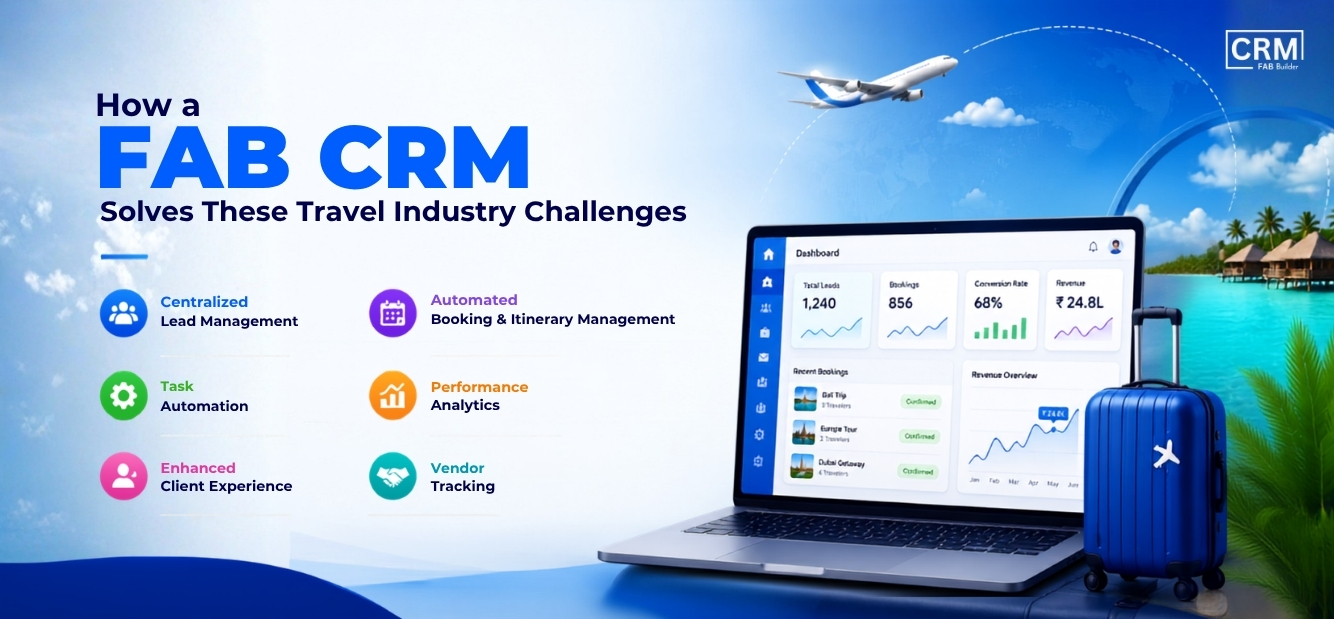
If your evaluation checklist includes multi-channel lead capture, flexible pipeline stages, and real automation — FAB CRM is built around exactly that.
Every inquiry lands in one place. Whether a lead comes from your website, WhatsApp, Instagram, or a paid campaign, FAB CRM captures it automatically and logs the full conversation history — so nothing gets lost between channels, and no agent starts a conversation blind.
Your pipeline, your stages. Instead of forcing your booking journey into a fixed template, FAB CRM lets you customize pipeline stages to match how you actually work — whether that's inquiry → quote → deposit → confirmation, or a longer custom-itinerary process with multiple revision rounds.
WhatsApp is built in, not bolted on. Since so much travel communication already happens on WhatsApp, FAB CRM includes native WhatsApp CRM functionality — shared team inbox, automated follow-ups, and lead assignment by destination or language — instead of treating it as a disconnected add-on.
Automation where it actually matters. Deposit reminders, follow-up sequences, and document collection (passports, visa forms) can run automatically, so leads don't go cold simply because no one remembered to follow up during a busy season.
Own your data, if that matters to you. For agencies that want full control over where customer data lives — whether for compliance reasons or simple peace of mind — FAB CRM offers a self-hosted option, something most travel-specific CRMs don't provide.
It scales with your team. Whether you're a solo advisor or a growing team handling hundreds of monthly inquiries, FAB CRM's shared inbox and lead-assignment tools mean adding people doesn't mean losing visibility.
Still Confused? Join thousands of teams using FAB CRM for travel business to plan, build, and launch their best work. Ready to Find the Right CRM for Your Travel Business?
Choosing a CRM is a long-term investment. Taking the time to evaluate your options today can save your team countless hours and help you build a more efficient, customer-focused travel business.
Book a free demo with FAB CRM to see how it fits your workflow. During the session, our product specialists will learn about your business, walk you through relevant features, answer your questions, and show you how FAB CRM can support your growth—without the pressure of a one-size-fits-all sales pitch.
|