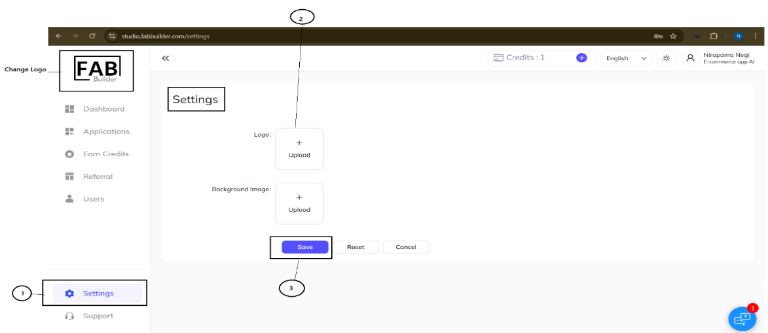
This is the first icon displayed on the left side panel (Fab Builder logo is displayed by default). Users can customize it by navigating the Settings Tab in the same panel, based on their preferences. Here are steps to be followed to change the logo-
Change logo
- Click on settings tab. New Setting screen appears on right side panel.
- Click to upload the Logo and background image.
- Click on the Save button after uploading the image. After this click, a new logo will appear on the top left panel.