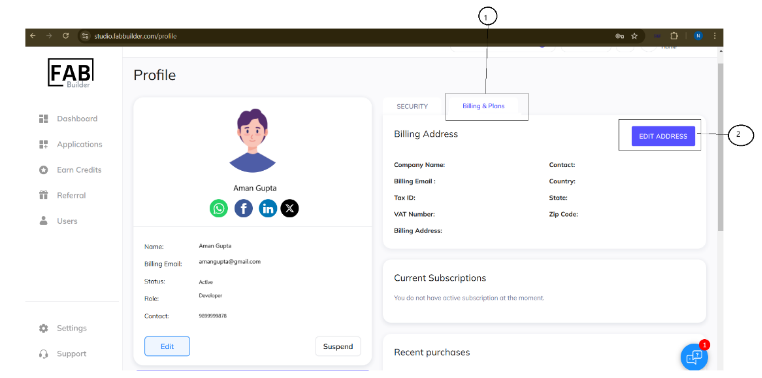
To edit the billing address, the user must follow the following steps
- Click on billing and plan tab. This tab will now be active, indicated by a blue color, and the screen will display the billing field details.
- Click on the edit address button.
To edit the billing address, the user must follow the following steps