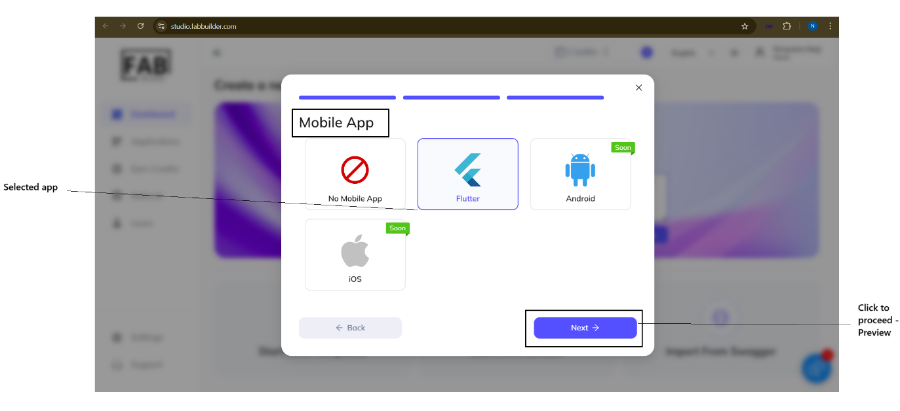
The user can change or customize the technology stacks recommended by the AI generator by clicking on the “ You can customize tech” link. This action will Frontend Tech pop-up window with multiple options.
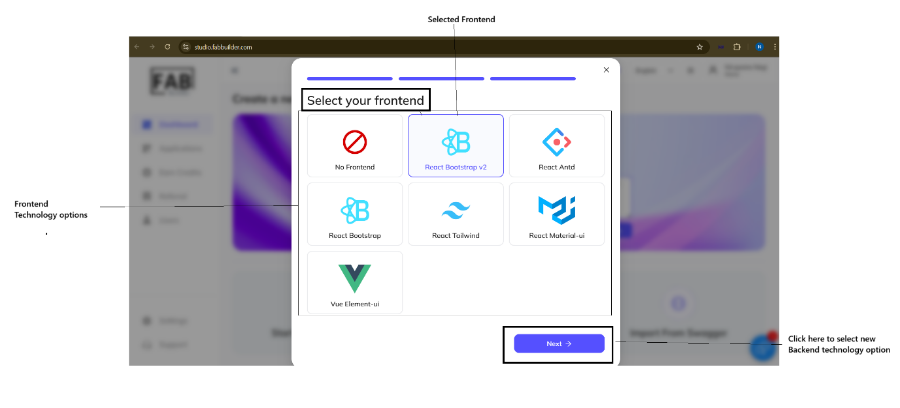
This screen allows users to access and choose the various options of frontend technology. After selecting a preferred frontend technology, click on the next button to proceed Backend Technology selection screen.
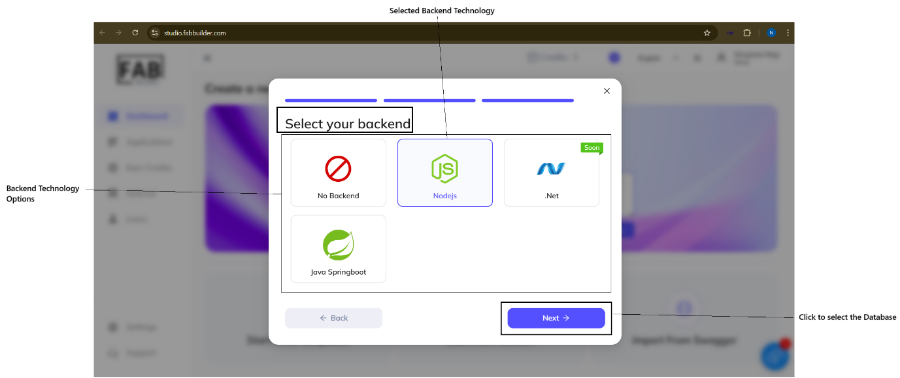
The above screen displays multiple options of backend technology. The user can select any backend technology. Once it is selected, click on the next button. User is navigated to the database selection screen.
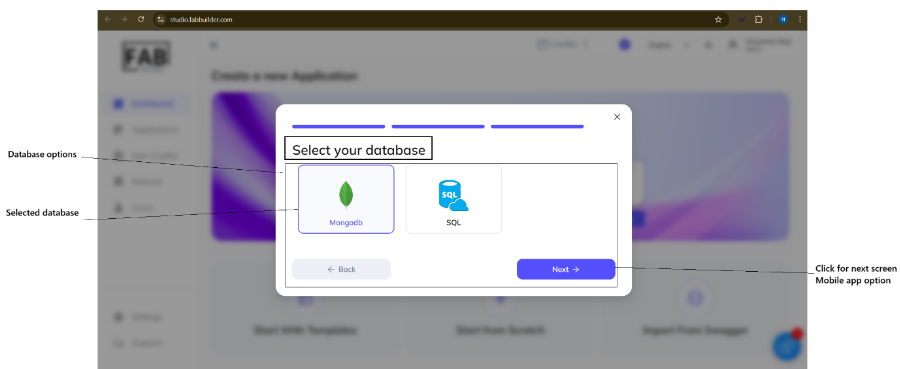
The next step will display the database section screen. This screen will allow the user to select any one data base available database options. Once the user selects the database, click the next button to proceed to the next screen- the mobile app.
After clicking on the next button, a pop-up window of the mobile app opens. The screen allows the user to select the technology used for the mobile interface.