If you're searching for CRM software examples to understand what CRM platforms actually do and which one is right for your business, you're in the right place. In today's competitive market, managing customer relationships across emails, calls, WhatsApp, and multiple channels can quickly become overwhelming. That's where CRM software helps businesses organize customer data, manage leads, automate follow-ups, and improve customer engagement from a single platform. But with hundreds of CRM solutions available, choosing the right one isn't always easy. In this guide, we'll explore some of the best CRM software examples, their key features, ideal use cases, and the types of businesses they work best for. You'll also discover how businesses are moving beyond traditional CRM platforms and building custom solutions with features like lead management, omnichannel messaging, broadcast campaigns, third-party integrations, and self-hosted deployment options using FAB CRM and FAB Builder. What does CRM software stand for?Before we dive into real-world CRM software examples, let’s take a step back and understand what a CRM system actually is. CRM stands for Customer Relationship Management.
Modern CRM software typically includes features such as:
Whether you're a startup, small business, or enterprise, CRM software helps teams stay organized, improve customer relationships, and drive business growth. What Are CRM Software Examples?When businesses start looking for a CRM, one of the first questions they ask is: "What are some real examples of CRM software?" CRM software examples include platforms like Salesforce, HubSpot, FAB CRM, Zoho CRM, Microsoft Dynamics 365, Pipedrive, Freshsales, and custom CRM solutions built for specific business needs.
Think of a CRM as your business's central command center for customer interactions. Instead of managing leads in Excel sheets, emails, WhatsApp chats, and multiple tools, everything stays organized in one place. List of 10 Best Real-World CRM Software Examples
CRM Software Examples Quick Comparison Table
Choosing a CRM system isn’t about picking the flashiest software—it’s about finding a solution that aligns with your team’s workflow, customer goals, and growth stage. To make things easier, we’ve rounded up 10 real-world CRM software examples—along with how businesses are using them in the wild. These CRM tools range from enterprise-grade platforms to startup-friendly solutions, giving you a full spectrum of what's possible. Let’s dive in. 1. Salesforce
When talking about CRM systems tools, Salesforce stands out as the global leader. Designed with scalability and deep customization in mind, it supports teams of all sizes—from lean startups to massive enterprise organizations. Its AI-driven assistant, Einstein, empowers sales reps with smart insights, while thousands of third-party app integrations make Salesforce incredibly adaptable. CRM software example use case: A global e-commerce business uses Salesforce to manage customer service operations in over 50 countries. It runs automated email marketing campaigns triggered by browsing behavior, integrates order history across channels, and provides multilingual support—all within a single centralized system. 2. HubSpot CRM
One of the most accessible and intuitive CRM programs examples, HubSpot CRM is a favorite among startups, small businesses, and even midsize enterprises. With its forever-free plan and smooth integration with HubSpot’s broader marketing and service tools, it's perfect for those just getting started with CRM. CRM program example use case: A fast-scaling SaaS startup uses HubSpot to track website visitors, manage lead nurturing workflows, and automatically book product demo calls. Thanks to its drag-and-drop interface and built-in reporting, the team scales without needing additional developer resources. 3. Zoho CRM
If you're seeking a balance between affordability and flexibility, Zoho CRM offers one of the best examples of customer relationship management software. It supports multichannel communication, detailed analytics, and an AI assistant (Zia) that suggests optimal times to reach out to leads. CRM software example use case: A digital marketing agency managing multiple client campaigns uses Zoho CRM to automate client onboarding, generate reports for ad performance, and trigger follow-up tasks across teams—all while syncing data across phone, email, and chat. 4. Pipedrive
Pipedrive is the go-to CRM tool for companies that prioritize sales pipeline visibility. Its clean interface, visual dashboards, and automation capabilities make it one of the best CRM systems tools for small-to-midsize sales teams looking to close deals faster. CRM tools use case: A real estate agency manages buyer interactions, tracks property deals, and sends automated follow-ups through Pipedrive. Sales reps get instant reminders for document collection and follow-up meetings, ensuring nothing slips through the cracks. 5. Freshsales (by Freshworks)
If you’re a midsize business looking for smart automation and AI-backed lead scoring, Freshsales delivers. It combines communication tools (chat, email, phone), intuitive dashboards, and behavior-based workflows in one seamless interface. CRM program example use case: An education technology company uses Freshsales to identify high-intent leads based on web page visits and demo signups. The platform automatically assigns leads to the right sales agents and kicks off personalized email onboarding sequences for each student. 6. FAB Builder CRM
FAB Builder CRM is an all-in-one solution designed to streamline client engagement and enhance lead management. With powerful tools for multi-channel communication, AI-driven sales funnels, and seamless workflow automation, FAB Builder CRM helps businesses of all sizes boost productivity and grow efficiently. CRM example use case: A SaaS company uses FAB Builder CRM to capture leads from various sources, automate lead nurturing via WhatsApp and email, and monitor performance in real-time. The team leverages integrated analytics to track lead conversion, optimize sales funnels, and increase team productivity through advanced workflow automation. What features are essential for a small business CRM system?A CRM becomes valuable when teams use it every day. Here are some of the most commonly used CRM features:
Capture leads from websites, landing pages, forms, ads, and social media channels.
Move opportunities through different stages such as New Lead, Qualified Lead, Proposal Sent, Negotiation, and Won Customer.
Manage customer conversations from WhatsApp, email, live chat, and other channels from one dashboard.
Send promotional messages, product updates, announcements, and offers to targeted customer groups.
Automatically assign leads, send follow-up reminders, trigger emails, and update deal stages.
Track conversion rates, team performance, campaign effectiveness, and sales forecasts.
Connect CRM software with payment gateways, ERP systems, marketing tools, support software, and business applications. 7. Keap (formerly Infusionsoft)
Keap is a compact, powerful CRM program example designed for solopreneurs and small service businesses. It excels at client management, email automation, appointment scheduling, and payment tracking. CRM software example use case: A personal trainer and wellness coach uses Keap to automatically send personalized workout plans, remind clients of upcoming sessions, and manage subscription payments—all from a single dashboard without needing extra help. 8. Microsoft Dynamics 365
Need a CRM that goes beyond sales? Microsoft Dynamics 365 is a robust suite of CRM tools and ERP capabilities, making it a strong option for enterprises with complex workflows. It integrates tightly with Microsoft products like Excel, Teams, and Power BI. CRM systems tools use case: A large logistics firm uses Dynamics 365 to track order fulfillment, schedule shipments, respond to customer queries in real-time, and leverage predictive analytics to optimize delivery routes and service quality. 9. Monday.com CRM
Known for its user-friendly design and flexible workspaces, Monday.com CRM is perfect for businesses that want a mix of project management and lead tracking—especially in marketing or creative industries. CRM example use case: A content marketing agency manages inbound leads, creative approvals, and editorial timelines with Monday CRM. Each campaign has its own board, and team members collaborate in real time to move prospects through the funnel while staying on top of deadlines. 10. Insightly
More than just a CRM, Insightly blends project management and CRM capabilities into a single platform. This makes it especially useful for service-based businesses that need to keep track of both sales pipelines and project timelines. Example of customer relationship management software use case: A business consultancy uses Insightly to manage client proposals, monitor contract lifecycles, and organize internal project timelines—all while syncing notes and emails between project managers and consultants. Example of a Modern CRM System: FAB CRMWhile many businesses use off-the-shelf CRM systems, growing companies often need more flexibility and ownership over their customer data and workflows. FAB CRM is designed for businesses that need a modern, scalable, and customizable CRM solution. Key capabilities include:
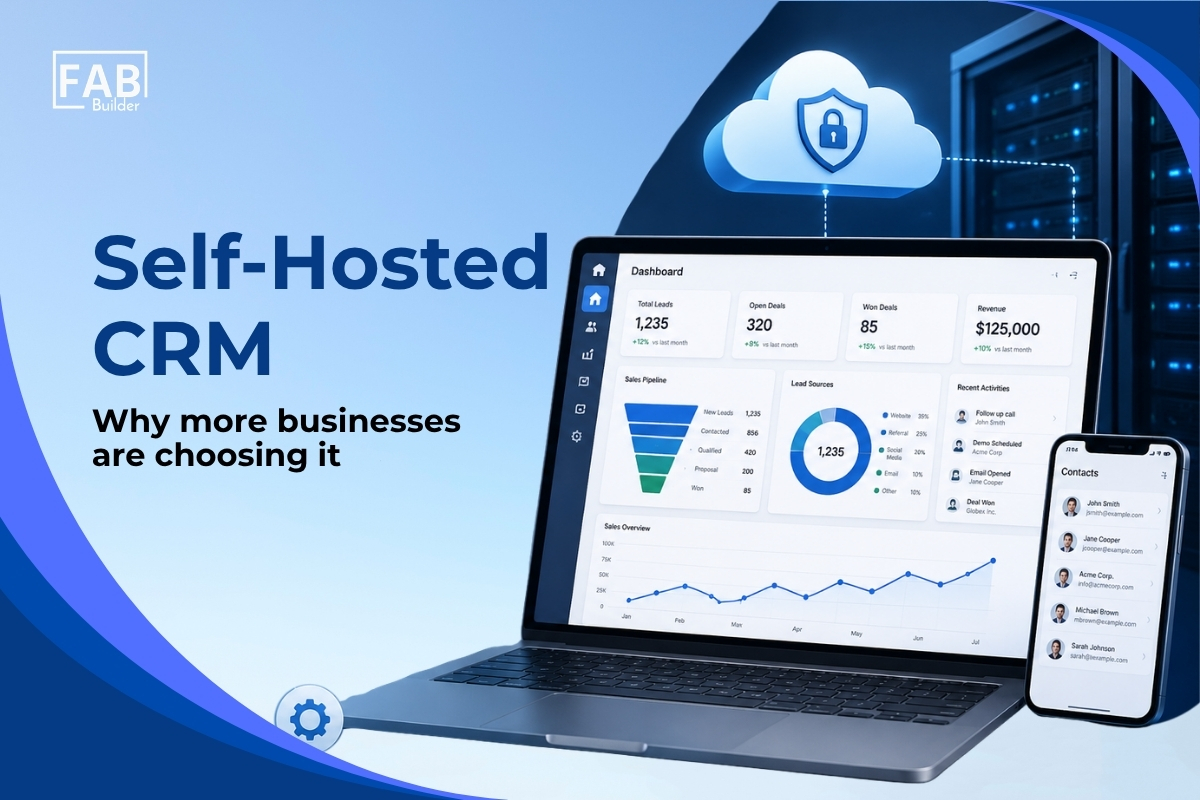
Unlike traditional SaaS CRM platforms that force businesses to adapt to predefined workflows, FAB CRM can be tailored around existing business processes. Self-Hosted CRM: Why More Businesses Are Choosing It
One of the biggest concerns businesses have with traditional CRM platforms is ownership and control. With many cloud-based CRM solutions:
Self-hosted CRM solutions are becoming increasingly popular because they offer:
For businesses operating in regulated industries such as finance, healthcare, and enterprise software, self-hosted CRM solutions often become a strategic advantage. What are the primary benefits of implementing customer relationship management software?
CRM (Customer Relationship Management) software is no longer just a digital address book. It has become a strategic tool that supports the entire customer lifecycle—from lead capture and nurturing to post-sale support and retention. Whether you're a startup or a large enterprise, implementing CRM software can transform how your business operates and engages with clients. Let's explore some CRM benefits: 1. Increased Sales ProductivityCRM systems automate routine and repetitive sales tasks such as follow-up reminders, data entry, and lead routing. This allows sales teams to focus their time on building relationships and closing deals rather than on administrative tasks. With workflows and automation in place, no opportunity is overlooked, and sales cycles become more efficient. 2. Better Customer InsightsCRMs consolidate customer information across all channels—email, calls, social media, and support tickets—into one centralized platform. This unified view provides deep insights into customer preferences, buying behaviors, and past interactions. Such data helps businesses tailor their messaging, improve targeting, and create more personalized experiences. 3. Stronger Team CollaborationA CRM enables real-time collaboration across departments. Sales, marketing, and customer service teams can access shared customer data, leave internal notes, assign tasks, and track progress. This transparency ensures that everyone involved in the customer journey is aligned and working toward common goals. 4. Improved Customer ExperienceWith a CRM, businesses can deliver fast, personalized, and consistent service across all communication channels. When customer context is readily available, support teams respond more efficiently, and sales teams can have more informed conversations, resulting in higher customer satisfaction and stronger relationships. 5. Data-Driven DecisionsCRM platforms offer advanced analytics and reporting features that help businesses monitor performance metrics, sales forecasts, and campaign effectiveness. Real-time dashboards enable data-backed decision-making, allowing managers to quickly identify what's working and make necessary adjustments. 6. Efficient Lead Generation and ManagementCRMs help businesses capture and organize leads from websites, emails, events, and other sources. Once captured, leads can be scored, segmented, and nurtured through automated workflows. This process ensures timely follow-ups and increases the chances of converting leads into paying customers. 7. Scalability and IntegrationAs your business grows, so do your CRM needs. Most CRM systems are designed to scale, allowing you to add users, customize workflows, and increase data capacity. They also integrate seamlessly with tools like email marketing platforms, accounting software, e-commerce systems, and more—creating a connected tech ecosystem that enhances efficiency. 8. Stronger Customer RetentionRetaining customers is just as important as acquiring them. CRM software helps businesses stay engaged with existing customers by tracking their history, preferences, and support issues. This enables timely upselling, renewal reminders, and proactive service—all of which contribute to long-term loyalty. 9. Mobility and Remote AccessModern, cloud-based CRMs are accessible from any device with an internet connection. With mobile apps and remote access capabilities, teams can stay productive on the go—whether attending meetings, traveling, or working from home. CRM Software Examples by Industry
Build Your Own CRM Software with FAB Builder
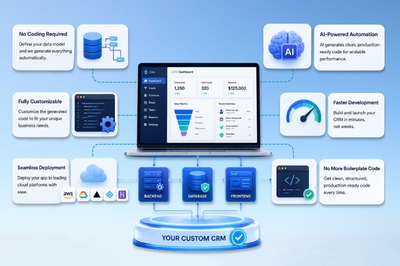
While most off-the-shelf CRM systems offer standard features, they often lack the flexibility growing businesses need. That’s where FAB Builder shines. FAB Builder is a code-generation/low-code platform that enables you to build your own CRM software—fast. Whether you want to integrate WhatsApp support, create a customer loyalty program, or manage data in a way unique to your business, FAB Builder makes it possible. CRM program example use case: A retail company uses FAB Builder to create a custom CRM that integrates inventory tracking, customer profiles, support tickets, and personalized WhatsApp campaigns—all within a unified dashboard. How to Build Your Own CRM Software with FAB BuilderCreating a custom CRM doesn’t have to be a long, complex development process. With FAB Builder, you can go from idea to full-stack deployment in just a few steps—no deep coding knowledge required. Here’s how to build a powerful, scalable CRM tailored to your business needs: Step 1: Describe Your AppStart by outlining your CRM’s core purpose, features, and business goals. FAB Builder’s AI-assisted entity creation helps translate your ideas into a functional blueprint.
Step 2: Choose Your Tech StackSelect the technologies that power your CRM, whether you’re aligning with your current infrastructure or exploring new options.
FAB Builder gives you complete control over the stack that suits your performance, scalability, and team preferences. Step 3: Define Your Data ModelDesign the structure of your CRM with FAB Builder’s intuitive data model visualizer.
Step 4: Preview and IterateBefore you go live, test your CRM in real time with FAB Builder’s live preview feature.
Step 5: Deploy Your AppOnce you’re satisfied, deploy your fully functional CRM with one click.
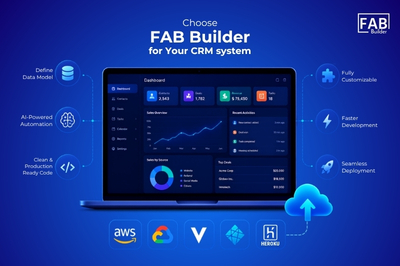
With FAB Builder, you’re not locked into templates or limited by generic features. You build what your business needs, with the tech stack you prefer, and deploy with confidence. Why Choose FAB Builder for Your CRM system?
If you're looking for flexibility and control, FAB Builder is one of the best CRM systems tools available for businesses that want a tailored solution without starting from scratch. ConclusionIn today's competitive and customer-driven market, a well-implemented CRM system is more than just a sales tool—it's the backbone of effective business operations. From boosting team productivity and enhancing customer engagement to enabling smarter, data-backed decisions, CRM software empowers businesses to scale sustainably and stay ahead of the curve. We’ve looked at some of the most widely used CRM platforms—like Salesforce, HubSpot, Zoho, and more—each designed to meet specific business needs, whether you're a startup building customer relationships or an enterprise managing global operations. These tools offer convenience, structure, and powerful automation out of the box. However, for businesses that require deeper customization and unique workflows, building your own CRM offers unmatched flexibility. With platforms like FAB Builder, you can create a custom CRM tailored exactly to your business logic, without starting from scratch. Its visual data modeling, seamless integrations, real-time tracking, and one-click deployment make building enterprise-grade CRMs not only possible but also fast and efficient. Build a CRM that works for your business—your way. Start your free trial with FAB Builder today and bring your ideal CRM to life. |