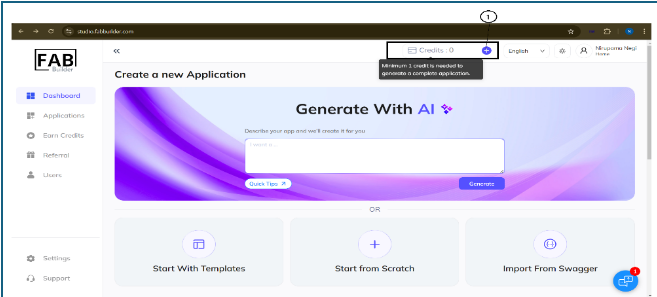
This button displays the current number of available credits. Users can click on the add button to purchase additional credit through a secure payment gateway.
These credits are required to access development services such as generating or downloading application code through the platform.
Add Credit Points
Users must ensure that at least one credit is available to generate a complete application. To add the credit points using payment methods, follow these steps.
1. Click on the plus sign next to the credit point on the top panel of the dashboard screen. This action will navigate the user to the payment screen, where they can add credit points.
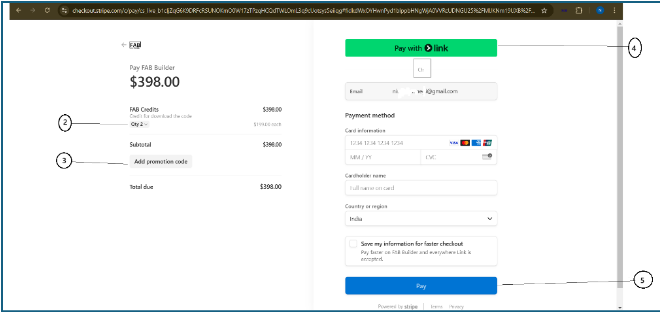
2. Select the required quantity of credit points. The screen will display the total amount based on the selected quantity. It will show the price per credit point for reference.
3. Enter the promotional code(optional), if required, to receive the discount. The discount will be automatically adjusted in the total amount of credit points
4. Click on the payment link or choose the available payment method (such as a card) after adding the required details.
5. Click on the Pay button to complete the final payment. The added credit point will now be reflected on the dashboard screen immediately under the same section.