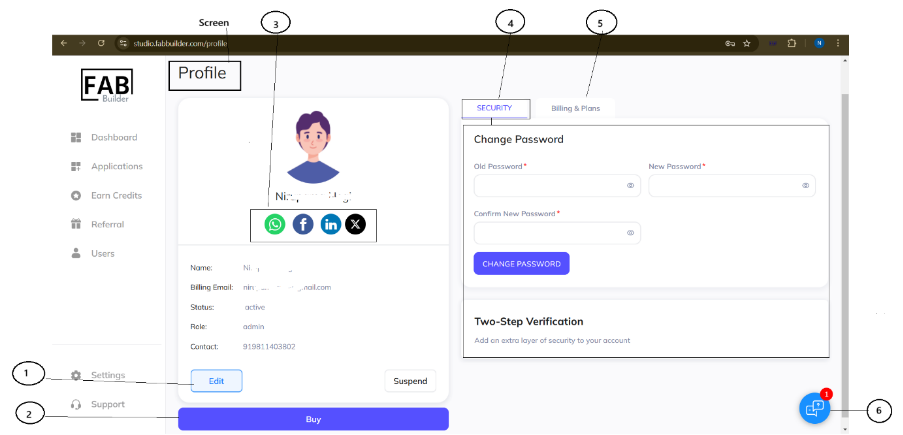
Users can change the password by clicking on the profile icon in the top panel. This action will display a drop-down menu, listing the change password option. Click on the change password tab, which will display the new screen for changing password.
Fill all details of the old password, new password, and confirm new password. Select the change password.