This is the is second tab located on the left panel. After clicking on application tab, it displays the Configurator screen. User can navigate the following features on this configurator screen-
- Provides a centralized view of all newly created applications.
- Allows the user to configure the application, either creating new or existing applications shown as a card.
- This application card includes details such as the frontend/backend tech stack, version, status, and available actions tabs (e.g., View, Generate Code, Download, or Edit) of an individual application.
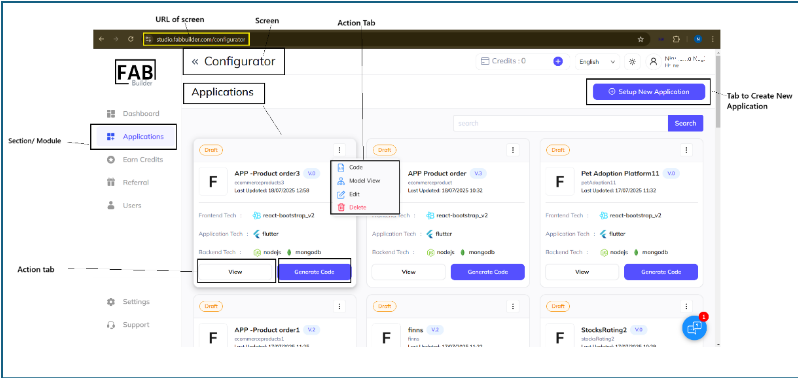
To navigate the configurator overview screen of a specific application, the user must click on View action tab on the application card.