This is the second section located on the left panel. Upon selecting this section, the Configurator screen(Application List )opens on the right panel in default setting when user click first time on application section .Configurator screen which contains the application lists allows users to to perform following action
- To create or edit applications
- To provides a centralized view of all newly created and existing applications, each displayed as an individual card
- To enables users to set up a new application from scratch.
This configurator screen can be described
- Screen Title (Configurator): Displays the title of the current screen being viewed. This screen includes the Application List Area and the Set to New Application tab described below.
- Application List Area:Shows a list of all applications created by the user.(Refer to the “Application Card” section for detailed information.)
- Set to New Application Tab:Provides the option to set up new application .Currently, this tab allows users to create an application from scratch and taken user to same screen to create the application.(Refer to the “Create an Application”by scratch section for more details.)
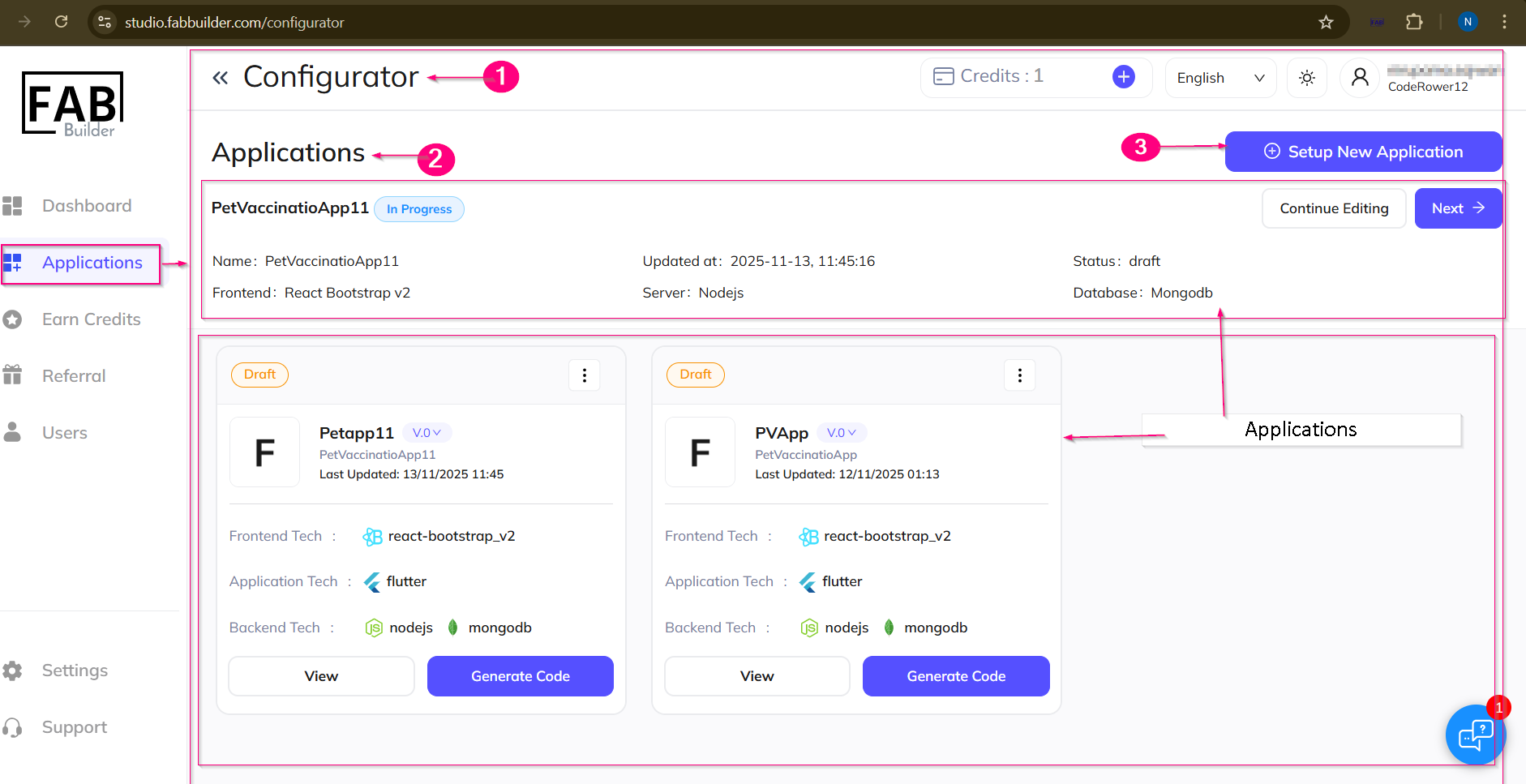
Screen-Application/Configurator