FAB Builder simplifies entity creation with its AI-driven assistance for efficient and precise entity management. Here's how to utilise this feature:
Step-by-Step Process for Entity Creation
1. Access the "Create Entity" Window
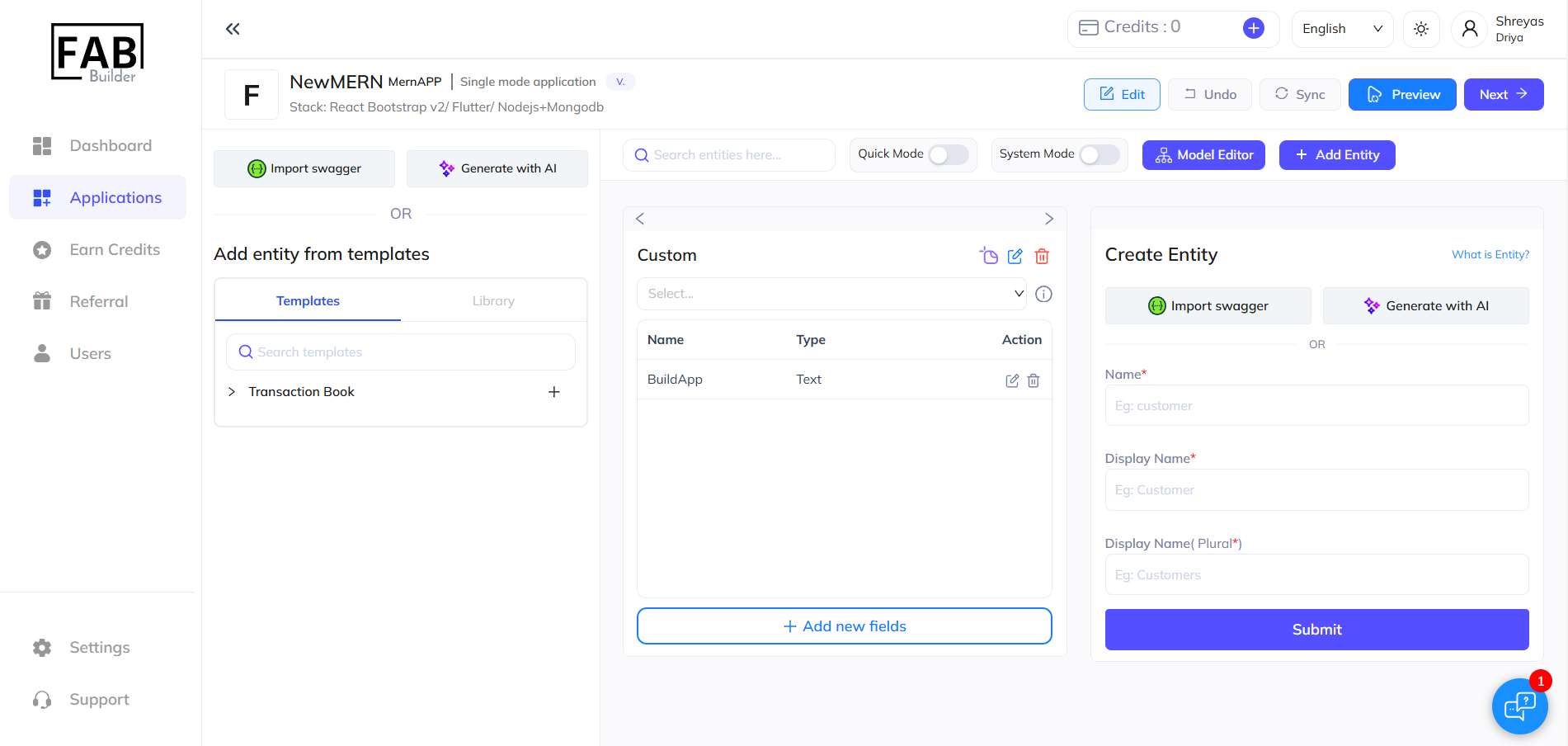
Navigate to the Create Entity window in the application dashboard on FAB Builder Studio.
2. Provide a Detailed Prompt

Input a comprehensive prompt detailing your entity requirements, including:
- The purpose and nature of the entity.
- Key attributes and relationships for the entity.
- Specific requirements or features (e.g., admin, user roles, product attributes).
- Use quick tips to ensure your prompt is well-structured and effective.
3. Review AI-Suggested Entities
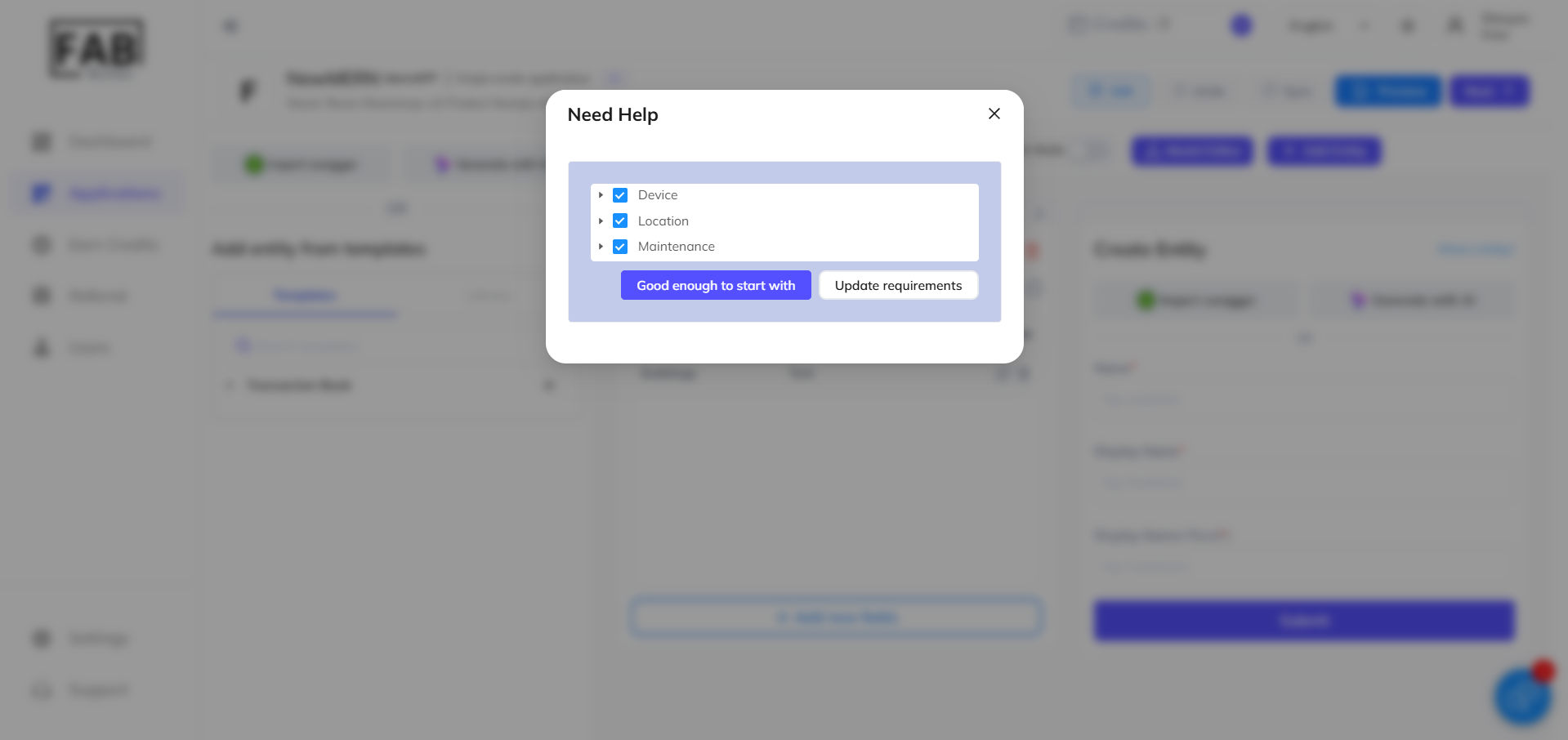
The AI will suggest relevant entities based on your prompt.
- De-select any entities that are not needed for your application.
- Click "Good enough to start with" to proceed with the selected entities.
4. Update Requirements as Necessary
If additional entities are required or changes need to be made, you can update the prompt or add new entities as per your needs.
(For more detailed entity-building instructions, refer to further steps in the application-building process.)
Conclusion
Using AI assistance in FAB Builder simplifies and streamlines the entire app and entity creation process. With just a few steps, users can quickly generate applications and entities tailored to their needs, saving valuable time and effort in development.
The AI-powered features ensure that even complex applications can be built efficiently, enabling a smooth workflow from concept to deployment.
Take full advantage of FAB Builder’s AI-driven assistance to optimise your app-building journey. Start creating smarter, faster, and more efficiently today by visiting FAB Builder Studio.