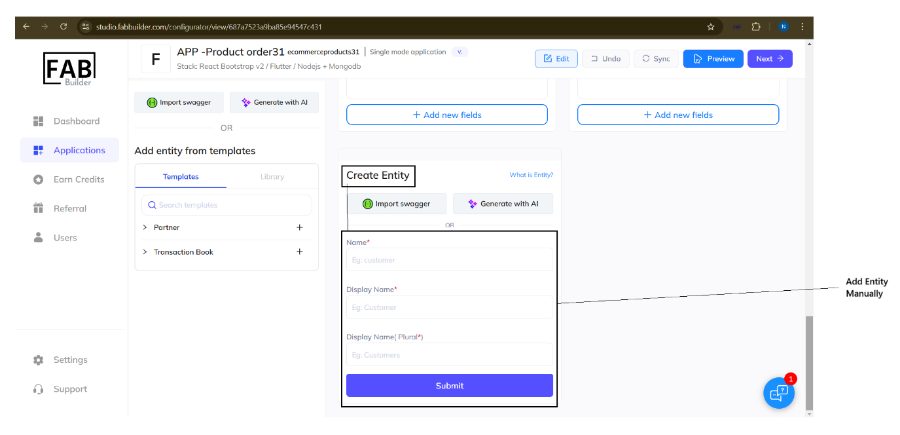
This feature allows users to enhance to structure and features of an existing application or newly created application by adding custom entities either automatically (Swagger, AI), manually, or by predefined template and library section depending on specific customer requirements.
The user can access this add entities options immediately after a new application is created, and the application screen opens, displaying existing entities with other details. It provides four methods to add entities.
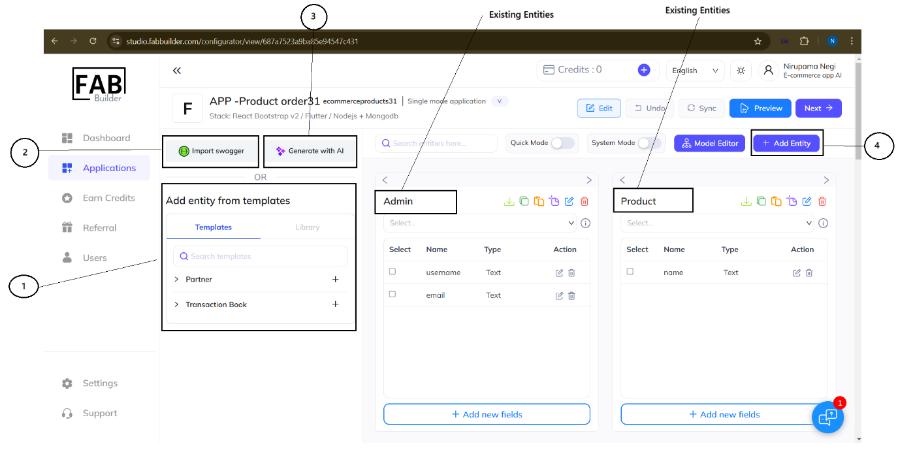
1. Using a predefined template or library item
Users can choose the system-provided templates or previously saved templates for their library.
2. Importing the Swagger-
This advanced feature allows the user to automatically generate the entities by importing the Swagger file or URL.
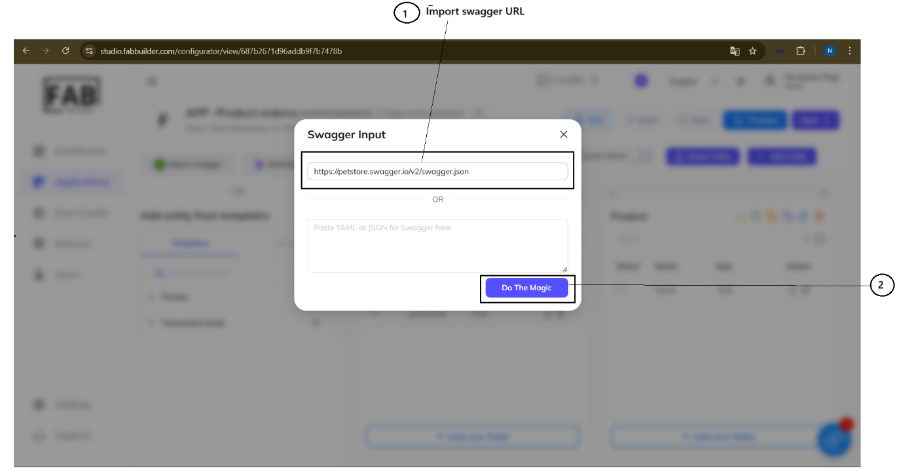
When the user selects the Import Swagger option, a pop-up window will appear, prompting the user to
- Enter the swager link or upload the file.
- Click on Do the magic. A pop-up window will appear that lists predefined Swagger input.
- Click on the check box to select/deselect (optional)
- Click on the check box to select/deselect (optional).
- Click on “Good enough to start with”.
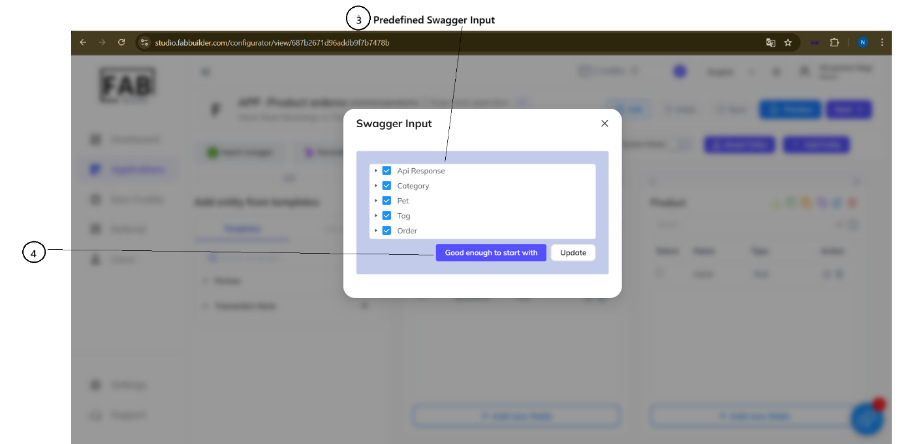
Once the import is successful, a new entity is automatically created based on the definitions of the Swagger file or URL. This entity is immediately visible on the application configuration screen, which can be modified as needed.
3. Generated by AI
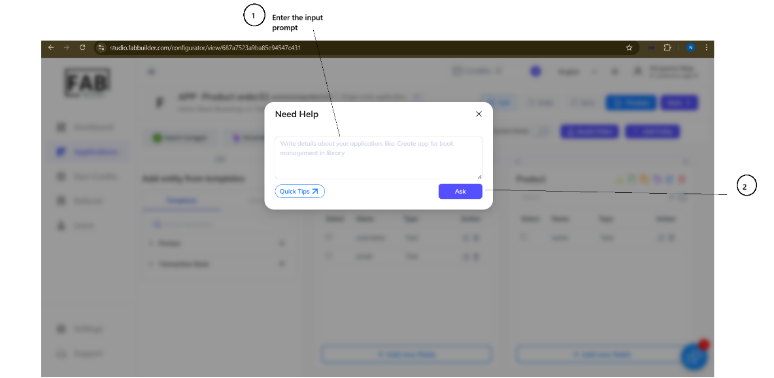
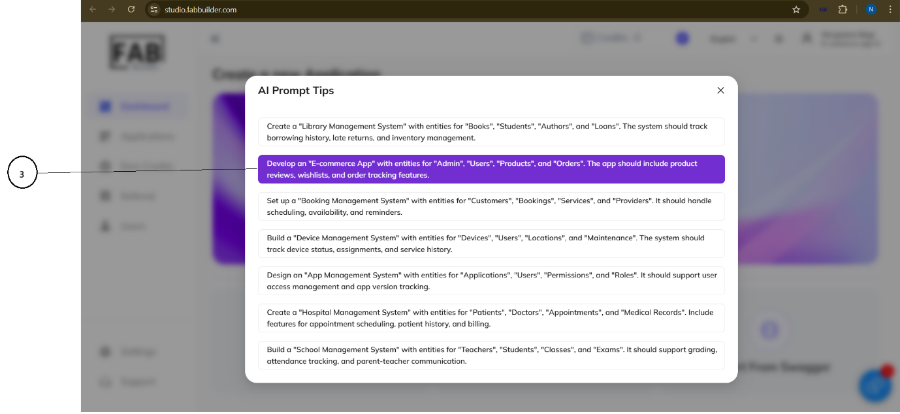
This feature allows users to quickly generate entities using the AI Assistant. Users can either enter a prompt in natural language manually, as shown in the text box, or input entity details following the Quick Tips format provided on the ai prompts list.
The AI interprets the input and automatically creates the corresponding entity with relevant fields and data types.
4. Manually added a new entity
Clicking the add entity button (on the top right corner) allows the user to define a new custom entity. This action scrolls down to the Create Entity field area on the same screen. The user must enter the necessary details, such as the entity name and its fields, before submitting.